One Evening Holiday Light Sequence: Layout to EZSequence to EZPlayer

A sequence is the instruction file that tells every light exactly what to do and when, so your display can move, flash, and fade in time with music or a timed event. It stores timing and effect data separately from the song itself, then plays that data back through software that maps lighting actions to specific beats. You build sequences in sequencing software and run them through show controllers or a playback app.
How a sequence maps to your physical display
A sequence only works because it speaks directly to the hardware on your roofline, trees, and props. Three terms matter here: a channel is a single controllable output (one color on one prop), a pixel is an individually addressable LED that can hold its own color and brightness, and a fixture is the physical prop or string the sequence is built around, like a mega tree or a roofline run.
Each sequence breaks a song into tiny slices of time called steps or frames, often 20 to 50 per second, and assigns an effect to every fixture at every one of those slices. That frame rate is what makes a chase look smooth instead of choppy.
A typical sequence file includes:
-
Timing data that marks exactly when each effect starts and stops.
-
Effect assignments tied to specific channels, pixels, or fixtures.
-
Fixture mapping that matches your layout to the physical controller ports.
-
Metadata such as the song title and beats per minute.
How sequences sync with music: beat mapping and timing
Beat mapping is the process of placing effects on the beats, sub-beats, and fills of a song so a chase hits on the downbeat, or a fade lands right as vocals drop. Some sequencers let you tap along manually to mark beats, while others use automatic beat detection to generate a timing grid you then adjust by ear.
Homeowners who sequence by hand usually place big moments, like a chorus or a key change, manually and let automated tools fill in the smaller fills between them. Timing accuracy also depends on your hardware: controller buffering and network lag can introduce small delays that throw off sync during live playback.
-
Mark major beats and song sections first, then layer in smaller fills.
-
Use automatic beat detection as a starting point, not a final answer.
-
Test playback on the actual controllers you will use for the show, not just in software.
Pro Tip: Run a full test of your sequence on the same network and controllers you’ll use on show night, since lag that’s invisible in software often shows up outdoors.
Common sequence effects and what they mean
Once you start building or buying sequences, a handful of terms show up constantly. Knowing them helps you picture what a sequence will actually look like before you buy or build it.
-
Chase: lights turn on and off in a moving pattern, like a wave traveling down a roofline.
-
Twinkle: random pixels flicker briefly, mimicking classic incandescent sparkle.
-
Fade: colors shift gradually from one hue or brightness to another.
-
Fill: a solid block of color covers a fixture, often used to set a base layer under other effects.
-
Marquee: a chase-like effect with sharper, theater-style segments, often used on arches or signs.
Effects behave differently depending on the fixture. A chase down a roofline reads as a line, while the same chase on a pixel grid can ripple in two directions at once. A common layering trick is to hold a fill as a background color, then stack a twinkle on top as a chorus builds, giving the display more depth without adding new hardware.
Building a sequence: a homeowner workflow with EZRGB
Most homeowner sequencing workflows follow the same three stages, and the EZRGB platform is built around them. First, you create a layout by uploading a photo and mapping out fixtures, counts, and types in the layout designer. This step tells the software exactly what hardware it’s working with before a single effect gets placed.
Second, you place effects on the timeline yourself or let EZSequence auto-generate a full sequence matched to your layout and chosen song. Third, you export the finished sequence, test it in a player, and deploy it through a show controller for the actual show night.
-
Step 1: Build your layout and assign fixture types and counts.
-
Step 2: Purchase a song (sequence) and EZSequence perfects it to your layout.
-
Step 3: Test the sequence, then play it through EZPlayer.
Pro tip-level detail worth noting: pre-made sequences already include channel mapping pre-tested for common kit configurations, which cuts out a large chunk of the trial-and-error that comes with building from a blank timeline.
Playback hardware: controllers, protocols, and reliability
On show night, your sequence data has to travel from a player to the physical lights, and that job belongs to a show controller. Controllers typically receive data over protocols like E1.31 or DDP, each translating sequence instructions into the exact color and timing commands your pixels need.
-
Use a weatherproof enclosure to protect controllers from rain and snow.
-
Size your power supply correctly for the pixel count on each run.
-
Add a null pixel at the start of long runs to protect signal integrity.
Pro Tip: A null pixel at the start of a long pixel string can prevent the flicker and data corruption that shows up after dozens of feet of cable run.
Why buying a professional sequence saves you time
Building a polished, music-synced sequence from scratch takes real hours: mapping a layout, placing effects, testing timing, and fixing the small glitches that show up only during a live test run. Buying a professional sequence skips most of that work because the timing, effects, and channel mapping are already done.
-
Beats and accents are already placed by someone who has tested the timing repeatedly.
-
Advanced effects are pre-built, so you’re not learning effect design from zero.
-
Channel mapping is pre-matched to common kit layouts, cutting setup errors.
-
Less trial-and-error means fewer nights spent debugging timing before the show.
A pre-made sequence paired with a plug-and-play kit also sidesteps most compatibility headaches, since the mapping is already built for standard fixture counts and controller setups.
A quick note from the EZRGB Team
Getting started with animated lighting doesn’t require sequencing experience: a layout in our designer paired with a pre-made sequence gets most homeowners to a finished show in one evening, not one season. Our blog walks through real customer layouts and workflows in detail, and we always recommend starting simple, a basic kit plus a ready-made sequence, before attempting a fully custom build.
— EZRGB Team
Your fastest path to an animated light show
We built the EZRGB platform so you never have to start from a blank timeline: upload a photo of your home in the layout designer, and our plug-and-play kits and pre-mapped RGB sequences line up with your layout automatically.
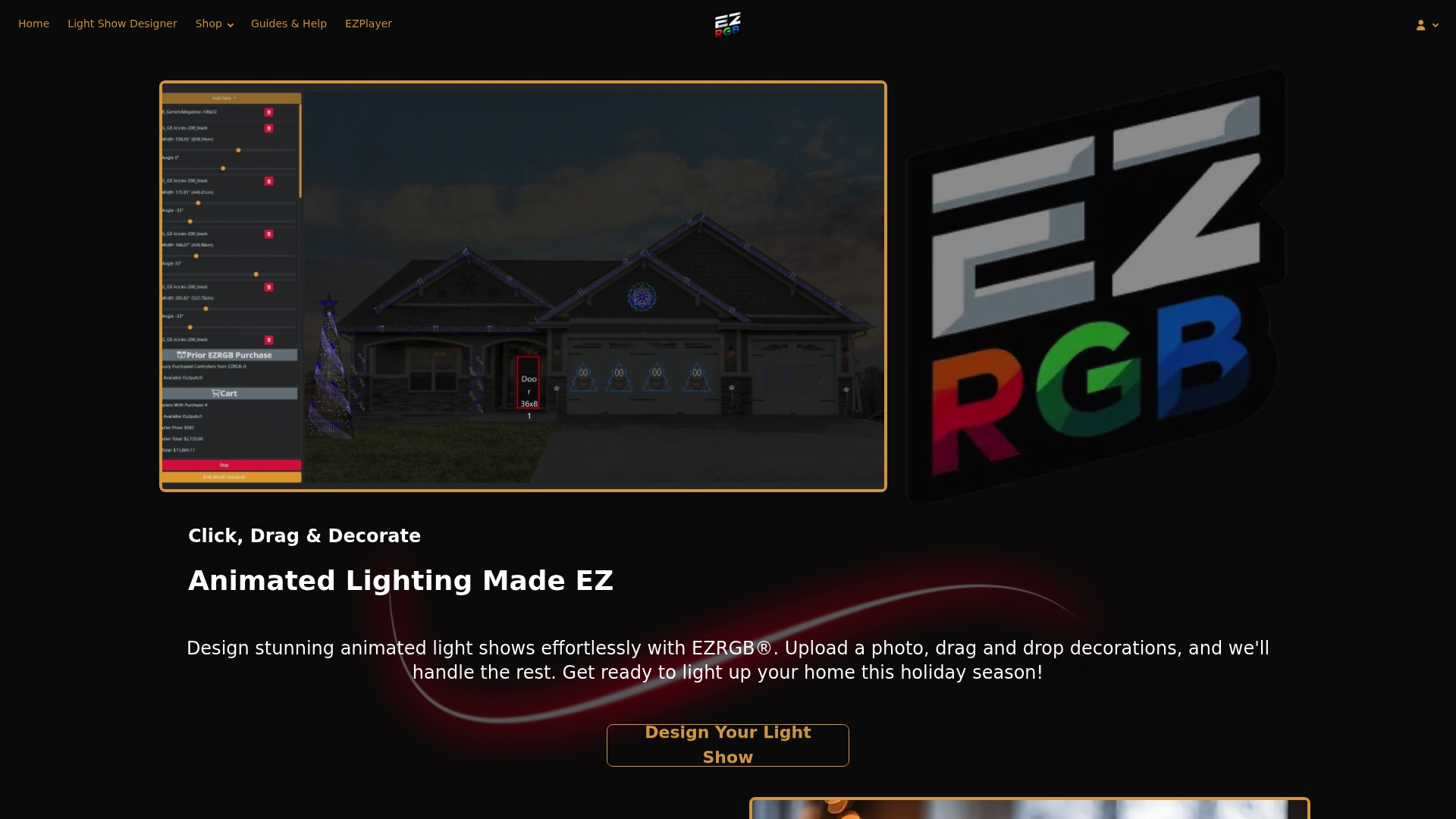
Once your layout and sequence are set, a player app handles scheduling and playback from your account, so you can sync songs, swap tracks, or adjust what plays on a given night without touching a cable. If you want pixel fixtures to round out a layout, our RGB lights are built to match the same channel mapping. Browse the kits and start building your layout today.
FAQ
What is a sequence file in holiday light shows?
A sequence file is the set of timing and effect instructions that tells each light, channel, or pixel what to do at every moment of a song. The music itself is stored separately, and the sequence file simply maps actions to specific times or beats in that track.
How do controllers play back a sequence?
A controller receives the sequence data, usually over a protocol like E1.31, WS2811, or DDP, and converts it into the color and timing signals each fixture needs.
What’s the difference between a chase and a twinkle effect?
A chase moves a lit pattern across a fixture in one direction, like a wave traveling down a roofline, while a twinkle randomly flickers individual pixels to mimic classic sparkle. Both are commonly layered together, with a twinkle added on top of a steady fill or chase for extra texture.
Why would I buy a sequence instead of building one myself?
Building a polished, music-synced sequence from scratch takes real hours of layout work, effect placement, and timing tests, while a professional sequence arrives with beats, effects, and channel mapping already finished. Pre-made RGB Sequences from EZRGB are also pre-mapped to common kit layouts, which cuts down on setup errors.
Do I need special software to create a sequence?
Yes, sequences are built in dedicated sequencing software that lets you map fixtures, place effects on a timeline, and export the finished file for playback. Platforms like EZRGB’s layout designer and EZSequence handle much of that mapping and generation automatically, which lowers the learning curve for first-time sequencers.