How to Use EZRGB Light Show Designer: 2026 Guide
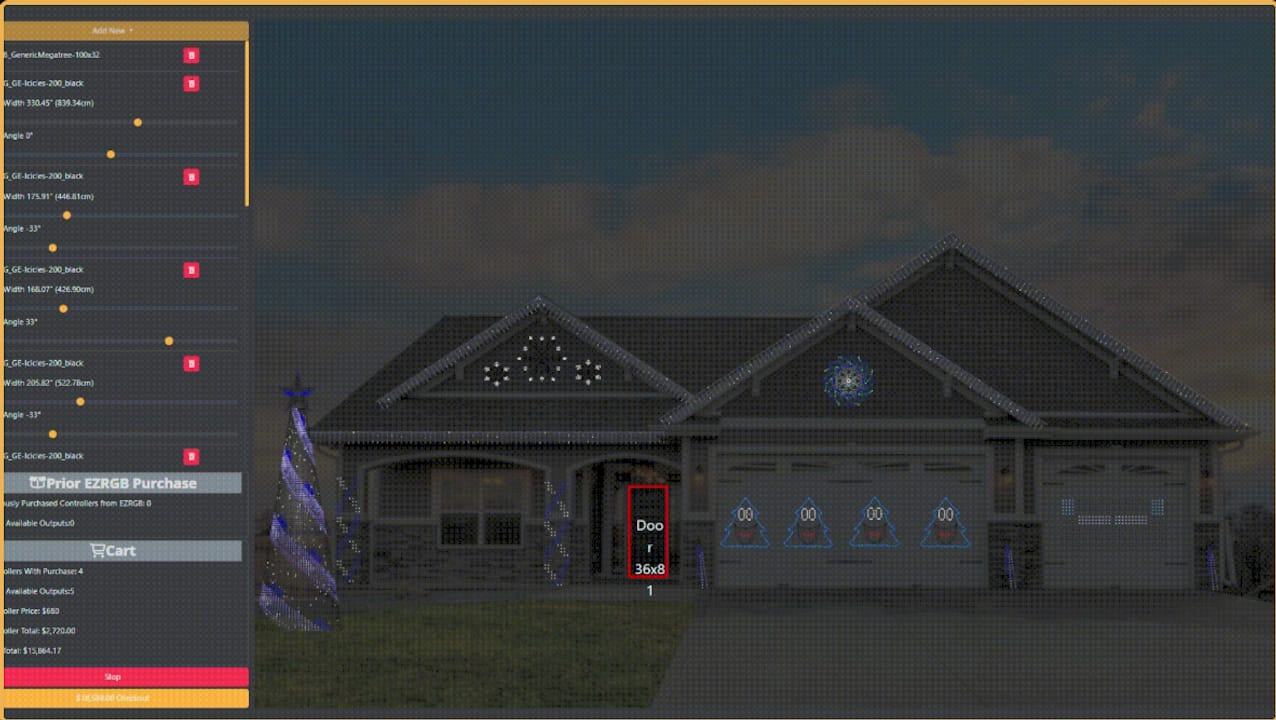
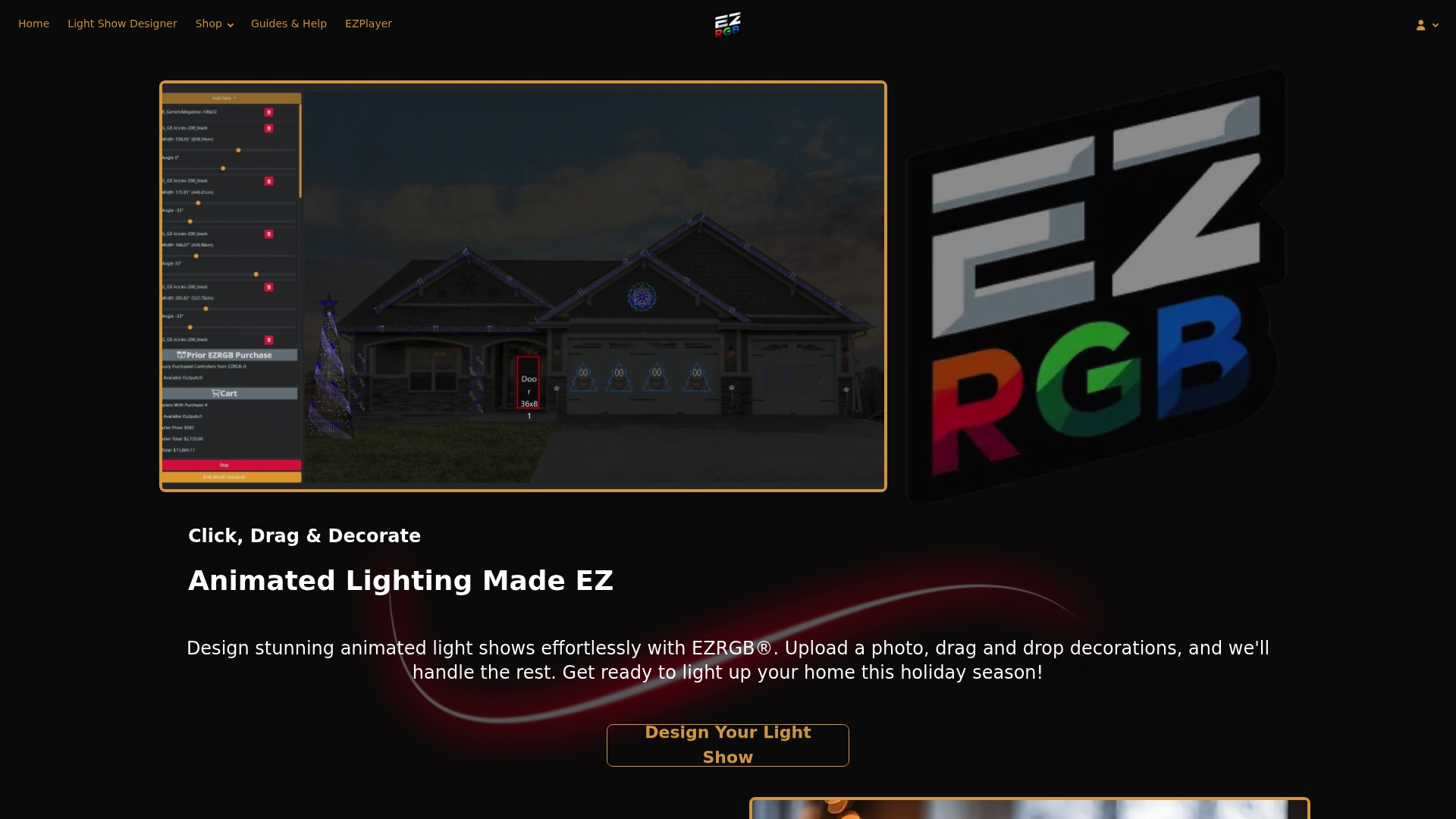
The EZRGB Light Show Designer is a drag-and-drop tool that lets homeowners design fully scaled animated holiday light displays by uploading a photo of their house and customizing decorations to fit, with no technical experience needed. You upload a photo, size the design box to your front door, enter your measurements, and EZRGB scales every decoration automatically to match your home. From there, you drag and drop decor elements to build your show, purchase your props, and let EZRGB handle all the assembly. This guide walks you through every step, from photo prep to pressing play on your finished display.
How to use EZRGB Light Show Designer: preparing your photo and measurements
The first step in the EZRGB design process is taking a clear, front-facing photo of your home. This photo becomes the canvas for your entire display, so the quality of the shot directly affects how well your decorations will fit. Stand far enough back to capture the full front of the house, including the roofline, front door, and any features you plan to decorate. Avoid angles, shadows across the facade, or cars parked in front of the entrance.
Once you have your photo, follow these steps to set up your design correctly:
-
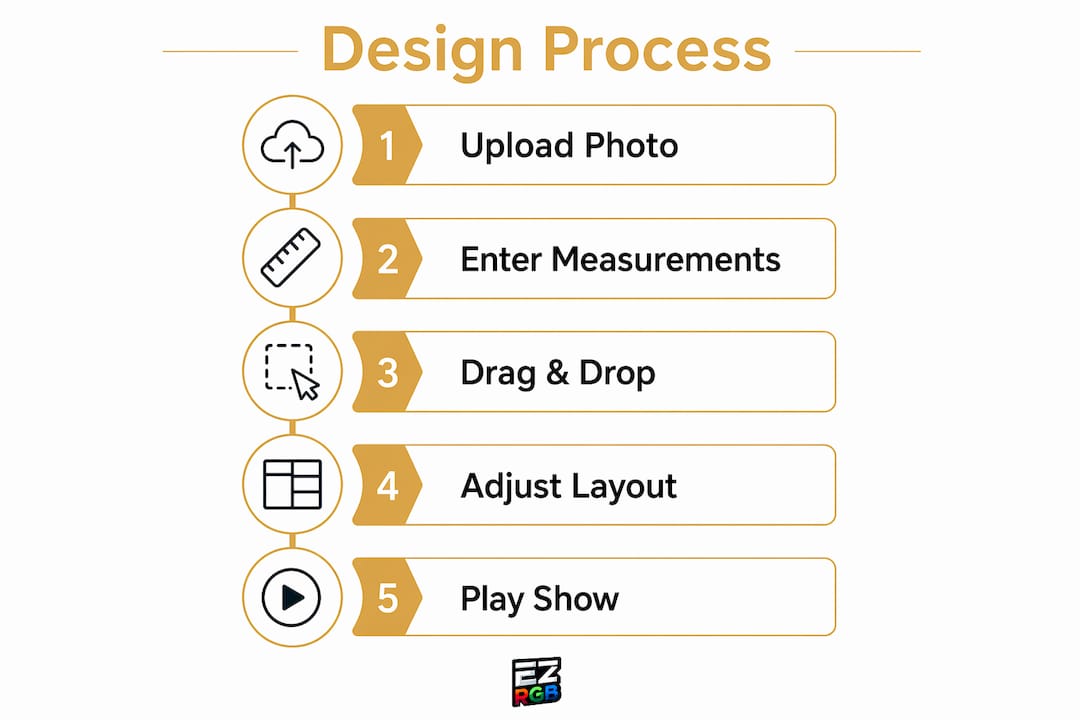
Go to the EZRGB Light Show Designer page on the EZRGB website and upload your house photo.
-
Resize the design box on the website to fit your front door or the key feature you want to use as your reference point.
-
Type in the actual dimensions of that feature. For example, if your front door is 36 inches wide and 80 inches tall, enter those exact numbers.
-
Confirm the scaling. EZRGB uses your entered measurements to scale all decorations automatically to fit your home’s proportions.
-
Review the scaled layout before adding any decor to confirm the reference box aligns with your door or chosen feature.
Accurate dimension input is the single most important step in the entire process. If your measurements are off, every decoration you add will be the wrong size relative to your home.
Pro Tip: Measure your front door twice before typing anything into the designer. A measurement error can shift the scale of your entire display.
What is the best way to design your holiday light show in EZRGB?
With your photo uploaded and your measurements confirmed, the actual design work begins. The EZRGB interface lets you drag and drop holiday decor elements directly onto your scaled house photo. Every item you place adjusts automatically to the scale you set, so a wreath you drop over your front door will look proportionally correct without any manual resizing.
The design library includes a wide range of props and animated elements:
-
Pixel-lit arches to run along borders and sidewalks
-
Wreaths and garlands sized to fit windows and doors
-
Roofline pixel strings that follow the pitch of your roof
-
Themed props such as animated singing characters and holiday scenes
-
C9 pixel strings like the C9 S24 RGB pixels for outlining architectural features
The drag-and-drop approach means you can try different layouts without committing to anything. Place an arch, move it, swap it for a different prop, and see how it looks against your actual home before you spend a dollar. This visual feedback is what separates EZRGB’s tool from generic planning spreadsheets or guesswork.
Pro Tip: Start with your largest decor elements first, like roofline strings, large trees or arches, then fill in smaller props around them. This keeps your layout balanced and prevents overcrowding near the front door.
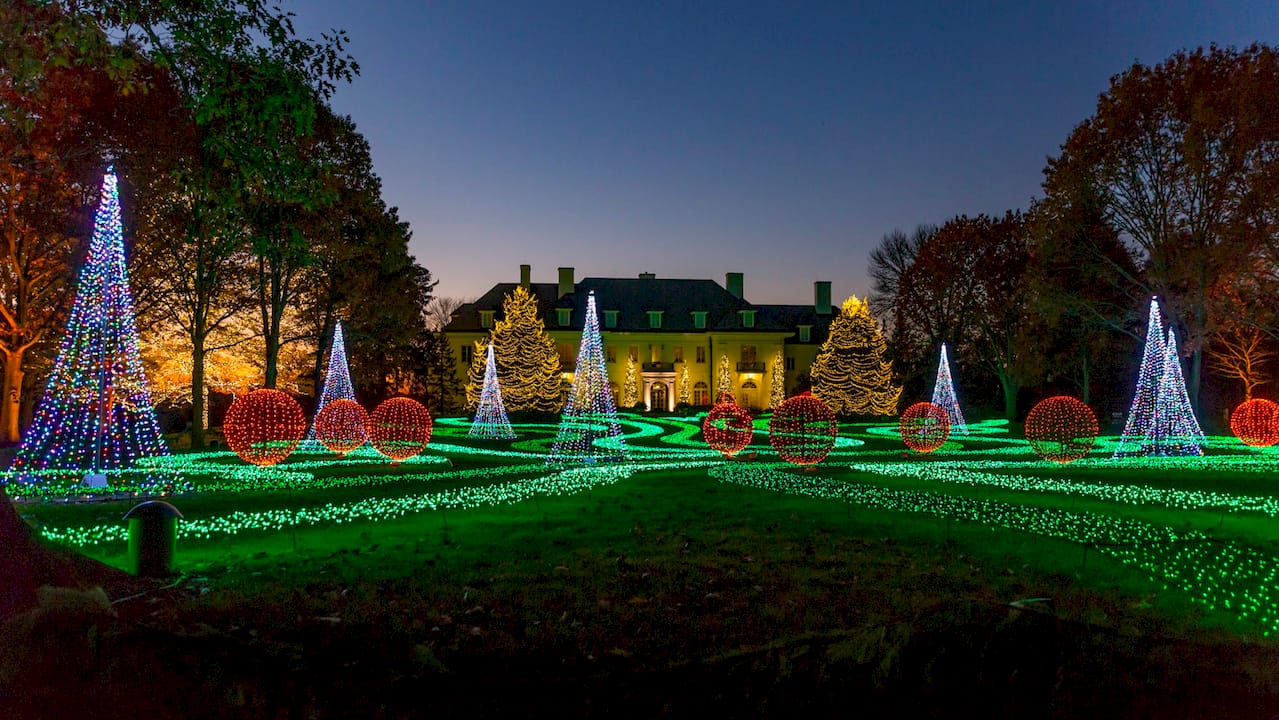
When you are happy with the layout, think about visual flow. A strong display draws the eye from the roofline down to the front door and outward to the yard. Placing brighter or larger props at the center and using smaller accents at the edges creates a natural focal point. The animated holiday display guide on the EZRGB blog covers layout strategies in more detail for decorators who want to go deeper on design principles.
How does purchasing your custom show work with EZRGB?
After you finalize your design, the next step is placing your order. EZRGB builds and installs all the pixels into your props for you. You do not need to wire anything or source components separately. Here is what the purchase and delivery process looks like:
-
Submit your design. Your completed layout tells EZRGB exactly which props you need and how they are configured.
-
EZRGB assembles your props. The team builds and inserts pixels lights into every prop you ordered, so everything arrives ready to use.
-
Purchase your music sequences. These are the synchronized song files that tell your lights what to do and when. Each sequence is matched to a specific song and prop configuration.
-
Receive your shipment. Props arrive pre-wired and pixel-ready. No soldering, no crimping, no guesswork on wiring.
-
Connect and play. Once your props are in place, you sync your sequences with EZPlayer and your show runs automatically.
The plug-and-play model is what makes EZRGB genuinely different from building a display from scratch. Traditional DIY pixel setups require sourcing controllers, wiring props, programming sequences in software like xLights, and troubleshooting hardware conflicts. EZRGB compresses all of that into a single purchase. For homeowners who want a professional-looking display without a steep learning curve, this approach removes the biggest barriers. You can browse themed sequence options, including tracks like Andy Williams: Happy Holidays, to get a sense of what synchronized shows look like before you commit.
How do you play your show using EZPlayer?
EZPlayer is EZRGB’s show player software. It reads your sequence files and audio, then sends lighting data over your network to your controllers at show time. EZPlayer syncs music and pixel data in real time, which is what makes your lights move in sync with the beat of each song.
Getting EZPlayer running correctly comes down to a few key steps:
-
Set your show folder. Select a folder on your computer to serve as your show folder, then sign in to your EZRGB account by scanning the QR code. EZPlayer automatically syncs your show, downloads your
.fseqsequence files and.mp3audio files, and organizes everything for you. So you never have to worry about the technical details. -
Connect your controller. EZPlayer communicates via Ethernet. Plug it into your controller and watch your lights come alive
-
Use the Scheduler. EZPlayer includes a built-in Scheduler that lets you set your show to run automatically at specific times each night. Set it once and your display runs on its own.
-
Test before your first public night. Run the full show during daylight to confirm every prop fires correctly and sequences sync with audio.
“EZPlayer reads sequence files and audio, sending data over the network at show time to controllers, enabling plug-and-play functionality for beginners.” The practical result is that once your show folder is set up correctly, running your display is as simple as pressing play or letting the Scheduler handle it automatically.
EZPlayer also mirrors xLights file standards, which means your sequences stay compatible with the broader pixel lighting community. That compatibility matters if you ever want to expand your show or add sequences from other sources down the road.
Common mistakes to avoid when using EZRGB Light Show Designer
Most setup problems trace back to a small number of avoidable errors. Catching them early saves time and prevents frustration before your first show night.
-
Angled or obstructed house photos. A photo taken from the side or with a car blocking the front door throws off the scaling reference. Retake the photo from directly in front of the house.
-
Inaccurate dimension input. Estimating your door size instead of measuring it causes every prop to scale incorrectly. Always measure before you type.
-
Skipping the layout review before purchase. Once you order, your prop start being produced. Spend extra time in the designer confirming props before you check out.
-
No internet service. EZPlayer uses an internet connection to keep your show up to date by automatically syncing the latest sequence and audio files. It also lets you manage your display remotely and have new purchases ready to play in just minutes. For the best experience, use a reliable internet connection with a strong signal.
-
Skipping the test run. Running a full test before your display goes live catches syncing and controller connection problems while you still have time to fix them.
Pro Tip: Print this simple checklist covering photo quality, dimension entry, file folder setup, and much more. Running through it takes five minutes and prevents the most common setup failures. Print checklist here
The guides and help section on the EZRGB website covers additional troubleshooting scenarios if you run into issues not covered here.
Key Takeaways
Using EZRGB Light Show Designer correctly requires accurate photo setup, precise measurements, and proper file and hardware configuration before your first show runs.
| Point | Details |
|---|---|
| Photo and measurement accuracy | Upload a clear, front-facing photo and enter exact door dimensions so EZRGB scales all decor correctly. |
| Drag-and-drop design | Place props on your scaled house photo before purchasing to confirm layout and visual balance. |
| Plug-and-play props | EZRGB assembles and installs pixels into every prop you order, so hardware arrives ready to connect. |
| EZPlayer show folder setup | Your show folder sync with the cloud to get the files for EZPlayer to sync lighting with audio. |
| Your layout is expandable | You can always add to your show whenever you like and EZRGB will save your home design on the site. |
What the EZRGB design process taught us about holiday lighting
The most underrated feature of the EZRGB Light Show Designer is not the drag-and-drop interface. It is the photo-based scaling. Most homeowners who attempt a pixel display from scratch spend hours measuring, calculating, and second-guessing whether their props will look right on the actual house. EZRGB eliminates that entirely by anchoring every design decision to a real photo of your home with real dimensions attached.
What we have seen consistently is that the decorators who get the best results are the ones who take the photo setup seriously. A sharp, straight-on photo and two minutes with a tape measure make everything downstream easier. The design clicks into place, the props arrive correctly sized, and the show runs the first time without rework.
The plug-and-play hardware model also matters more than it sounds. The transition from a finished digital design to a working physical display is where most DIY decorators hit a wall. Pre-wired, pixel-installed props remove that wall entirely. You are not learning to solder or troubleshoot data signal issues on a cold December night. You are plugging in and pressing play.
For homeowners who have been hesitant about animated displays because the technology seemed too complex, EZRGB’s approach is genuinely worth trying. The beginner-friendly lighting options EZRGB offers mean you do not need a background in electronics or programming to put on a show your neighbors will remember.
— EZRGB Team
Ready to build your custom holiday light show
The EZRGB Light Show Designer puts a professional animated display within reach for any homeowner, regardless of technical background. Upload your house photo, set your measurements, and design your show visually before spending anything.
When you are ready to move forward, the EZRGB homepage is the best place to start. You can launch the designer, browse available props and sequences, and place your order all in one place. If you need help at any point, the guides and help page covers everything from initial setup to EZPlayer configuration. EZRGB handles the assembly, the pixel installation, and the hardware prep. Your job is to design the show you want and enjoy it once it arrives.
FAQ
What is the EZRGB Light Show Designer?
The EZRGB Light Show Designer is a web-based drag-and-drop tool that lets homeowners design animated holiday light displays by uploading a house photo and placing scaled decor elements onto it. No technical skills are required to use it.
How do I get my decorations to scale correctly?
Upload a clear, front-facing photo of your home, resize the design box to fit your front door, and enter the exact dimensions of that door. EZRGB uses those measurements to scale every decoration automatically.
What files does EZPlayer need to run my show?
EZPlayer requires a show folder containing both .fseq sequence files and .mp3 audio files. These files work together to synchronize your lights with the music. If you’re signed in to your EZRGB account through EZPlayer, the software automatically downloads and keeps these files up to date, so there’s nothing you need to manage manually.
Do I need to wire or assemble the props myself?
No. EZRGB builds and installs all pixels into your ordered props before shipping them. Props arrive ready to connect, with no soldering or wiring required on your end.
What is the most common mistake for new users?
The most common mistake is waiting until November to order. It takes EZRGB a few weeks to get your order to you. Please try to submit your orders as early as you can to give us enough time to produce your dream light show.