
Homeowners: Icicle Lights or Pixels? EZRGB Makes Pixel Shows Easy

Traditional icicle lights give you a simple, affordable sparkle along your roofline, while RGB pixel icicles let you build a full animated show with color changes, chases, and music sync. If your goal is quick seasonal charm, standard LED icicles get the job done with less setup effort. If you want a display that moves, changes color, and performs to a soundtrack, pixels are worth the investment, and we built our platform to make that jump approachable for homeowners with no technical background.
Core Technical Differences Between Traditional Icicle Lights and RGB Pixel Icicles
Traditional icicle lights, whether old incandescent sets or newer LED versions, run as a single string where every bulb shares the same circuit. Flip the switch and the whole strand turns on in one color, because the bulbs are wired in series or parallel groups with no individual control. The Department of Energy explains that this wiring difference also affects reliability: incandescent strands rely on shunts to keep the circuit alive when a bulb fails, while LED strands typically fail by shorting rather than going dark.
RGB pixel icicles work on a completely different principle. Each bulb, or pixel, contains its own tiny chip that receives a unique address from a controller. That means every single light on the string can display its own color and brightness at any given moment, independent of its neighbors. This is what people mean by “individually addressable”: you are not lighting a strand, you are painting with hundreds of tiny, separately controlled points of light.
The practical contrast looks like this:
-
Traditional icicles: one color or a fixed pattern across the whole string, controlled by a simple plug-in timer or basic remote.
-
Pixel icicles: each bulb addressed separately, allowing color gradients, chases, and shapes to move across the string in real time.
-
Control signal: traditional strings need no data signal at all, while pixels require a continuous data stream from a controller to tell each chip what to do.
-
Common protocols: pixel strings typically use addressable LED chip families in the WS series, which is a technical detail worth knowing if you ever shop for replacement parts, though the brand behind the chip matters less than how your controller and sequence are matched to it.
This structural difference is the reason pixels can animate and standard icicles cannot, no matter how good the bulbs are.
What Pixels Let You Do Visually That Traditional Icicles Can’t
Once every bulb has its own address, a whole category of effects becomes possible that a single-color string simply cannot produce.
-
Chases: light appears to travel down the icicle string, like a wave moving across your roofline.
-
Color wipes: one color smoothly replaces another across the entire display.
-
Gradients: a rainbow or custom blend spreads across the string instead of a single flat color.
-
Per-pixel twinkle: individual bulbs sparkle at random while the rest of the string holds steady.
-
Mapped scenes: icicles become part of a larger picture, like a glowing roofline that mirrors falling snow or a sunset fade.
-
Music sync: colors and movement shift in time with a song, turning a static display into a performance.
Higher pixel density per foot makes all of these effects look smoother, because tighter spacing reduces the visible gap between light points and makes motion read as continuous rather than jumpy. A roofline with widely spaced pixels can still chase and change color, but a denser string blends those transitions the way a higher frame rate smooths out a video.
Picture a few concrete scenarios: a chase effect that looks crisp and fluid on a tightly spaced pixel icicle string might look choppy and segmented on wider spacing. A color gradient across six feet of densely packed pixels reads as a smooth sunset, while the same gradient on sparse pixels looks like separate colored chunks. For homeowners who want their display to look professionally produced rather than homemade, density and smoothing go hand in hand. For a closer look at how this translates to real yards, our piece on the benefits of animated holiday lighting walks through more examples.
Pro Tip: Start with one roofline section using pixels before committing your whole house, so you can judge density and effect quality before buying more.
Energy Use, Safety Standards, and Installation Trade-Offs
Whichever technology you choose, LEDs win on operating cost by a wide margin, and that holds true whether you are running a plain string or an animated pixel display. The Department of Energy reports that LED holiday light strands use about 70% less energy than conventional incandescent strands.
LEDs cut the cost of lighting a 6-foot tree for 12 hours a day over 40 days to about $0.27, compared to roughly $10 for incandescent bulbs over the same period. That gap only grows as you add more strings or run a larger display through the season. Separately, a DOE analysis of LED performance in niche lighting applications found that colored-light applications like decorative holiday lighting are exactly where LEDs perform best, delivering lower operating costs, longer life, and better durability than incandescent sources.
Safety matters as much as energy savings, especially once you are running outdoor circuits for weeks at a time. The Consumer Product Safety Commission highlights three readily observable safety characteristics that any seasonal lighting product should meet:
-
Minimum wire size, adequate for the current the string will carry.
-
Sufficient strain relief, so plugs and connections do not pull loose or fray.
-
Overcurrent protection, such as fuses, to prevent overheating.
The CPSC recommends buying products carrying UL or ETL marks, since products lacking these three characteristics are treated as a substantial product hazard. Outdoors, pair any lighting circuit with a GFCI-protected outlet, use insulated clips instead of staples to avoid damaging wire insulation, and keep connections weatherproofed against rain and snow. Our weatherproofing guide covers these outdoor installation details in more depth.
Pixel strings add a few considerations beyond standard icicles. Because data and power travel together over longer runs, voltage can drop before it reaches the far end of a string, which is why larger pixel layouts often use power injection points to keep every pixel bright and correctly fused. If you are mixing pixel and traditional strings on the same display, give each its own properly rated circuit rather than daisy-chaining them together.
High-Density Icicle Lights and Pixel Spacing Explained
“High density” describes how close together the light points sit on a string, usually measured as pixels per foot or the spacing between bulbs in inches. Tighter spacing means more light points packed into the same length, which translates directly into smoother color gradients and more fluid motion when you run an animated sequence.
A standard roofline icicle string might use wider spacing because the goal is simple coverage rather than detailed animation. Props and tree wraps, where viewers stand closer and effects need to read clearly at short range, often use denser spacing so that chases and twinkles look crisp instead of blocky.
That smoothness comes with trade-offs:
-
Smoother animation requires more individual pixels, which raises the per-foot cost compared to standard spacing.
-
Higher pixel counts mean more data to manage, so denser strings need controllers and power supplies sized to handle the added load.
-
Connectivity needs grow with density, since more pixels per run increases the importance of proper power injection on longer stretches.
Choosing density is really about matching the string to its job: wider spacing for broad roofline coverage, tighter spacing where you want viewers to see fine detail. Our guide to holiday lighting placement walks through how to match spacing choices to different parts of your yard.
A Practical Decision Checklist: Which Option to Pick for Different Goals
Matching the technology to your actual goals saves both money and frustration. Before you buy anything, run through these questions.
-
What effect do you want? A simple warm glow calls for traditional icicles; color changes, chases, or music sync call for pixels.
-
What is your budget? Pixel systems cost more per foot and require a controller, so budget for both the lights and the gear that drives them.
-
How much time and skill can you commit? Traditional strings plug in and go; pixel displays need layout planning and sequencing, though platforms built for homeowners remove most of that burden.
-
Do you already have a controller, or will you need one? Pixels cannot run on a basic timer, so factor controller cost into your plan from the start.
Think through your scenario specifically. A quick festive edge along the gutters for a few weeks of curb appeal rarely justifies the cost and setup time of pixels. A music-synced yard show meant to draw neighbors and visitors is exactly where pixels pay off. If you are decorating a rental property, check your lease for restrictions on exterior attachments and avoid anything that requires permanent mounting hardware.
When purchasing lighting products, consider certification (UL or ETL marks), lead time, warranty coverage, and whether the controller is included or sold separately.
Pro Tip: If you are unsure which way to go, buy one small pixel kit for a single feature this year and expand next season once you know how much time you want to invest.
EZRGB Workflow: From Photo to Animated Pixel Icicles
Platforms for animated light shows often enable users to upload a photo of their home as the layout canvas, place pixel icicle props using a drag-and-drop designer to see placement visually, generate synchronized sequences automatically matched to the prop arrangement, and schedule and control playback through online tools that do not require wiring adjustments.

Plug-and-play kits typically include prewired pixel props, a preprogrammed controller, and instructions needed to connect everything, to simplify the technical setup before the box arrives. There is a learning curve to using the layout designer well, mostly in getting comfortable placing props accurately on your photo, but most homeowners pick up the basics in one evening.
If you are mixing pixel strings with older non-pixel lights on the same display, keep them on separate circuits and controllers rather than wiring them together, since pixel data lines are not compatible with simple on-off string wiring. For more on how controllers factor into this setup, our explainer on simple lighting controllers breaks down what each component does.
EZRGB Team Perspective: Realistic Expectations and Common Pitfalls
Pixels are not always the right answer. If you want a clean, classic look along one roofline for a few weeks, traditional LED icicles do that job well and cost less. Pixels earn their price when you want motion, color changes, or a show that syncs to music, something a static string physically cannot do.
The most common mistakes we see are undersized power supplies that cannot handle a full pixel run, skipped safety checks on outdoor connections, and uncertified lights bought purely on price. None of these save money in the long run. Our honest advice: start with one section of your display this year, learn how the layout designer and sequencing work, and expand next season once you know what you actually want more of.
— EZRGB Team
How EZRGB Helps You Get a Pixel Icicle Show Without Being an Expert
Turning a wall of static lights into an animated show usually means learning show software, wiring diagrams, and sequencing tools from scratch. We built our platform so you skip that part entirely: upload a photo, drag pixel props into place with our layout designer, let EZSequence build a show that matches your exact layout, and run it all through EZPlayer, which lets you schedule display times and swap songs right from the website.
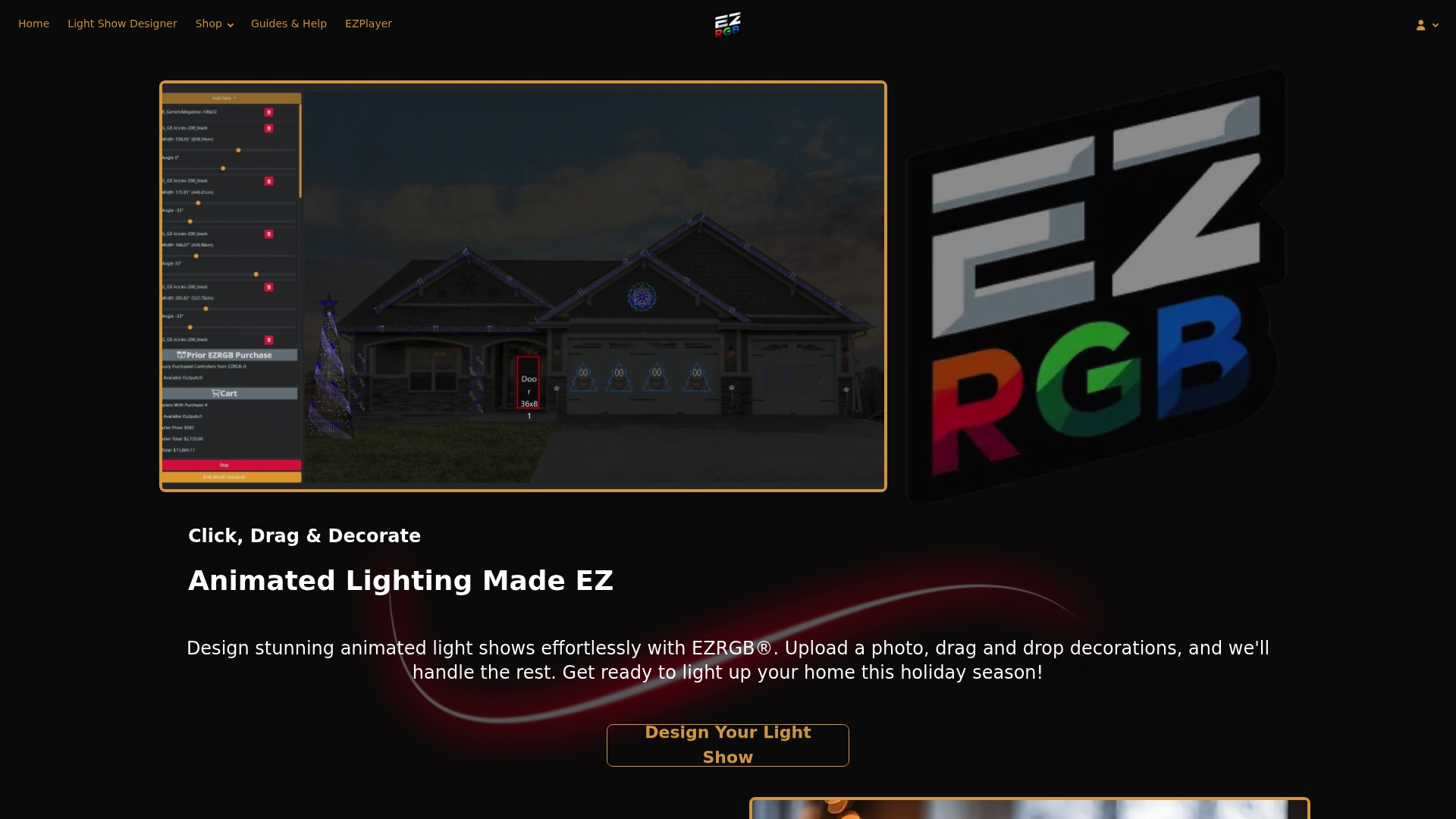
Our plug-and-play kits arrive with prewired pixel props and a preprogrammed controller, so setup is mostly plugging things in and placing them where your layout design shows. If you already own some pixel gear and want to add more, browse our individual pixel props or shop RGB lighting by spacing and type to fill out your layout.
-
Browse starter kits sized for a single roofline or a full front yard.
-
Try the layout designer with a photo of your own home before buying anything.
-
Add RGB sequences and Pixel Pro Displays once your layout is set, to get a show running fast.
FAQ
Who makes the best icicle lights?
No single brand is objectively “best” since quality depends on certification, wire gauge, and strain relief rather than brand name alone. Look for products carrying UL or ETL marks, and if you want animated effects rather than a fixed color, choose pixel icicles designed for individual addressing.
What is the difference between LED and pixel LED?
A standard LED string lights every bulb in the same color at the same time, with no way to control bulbs individually. A pixel LED, often called an addressable LED, contains its own chip so each bulb can show a different color or brightness, which is what allows chases, gradients, and music-synced animation.
What’s the difference between LED Christmas lights and regular lights?
Regular incandescent Christmas lights use a heated filament in each bulb and rely on shunts to keep the strand lit if one bulb fails. LED Christmas lights use semiconductor chips instead, run cooler, use about 70% less energy, and typically fail by shorting rather than going completely dark.
What are high density icicle lights?
High density icicle lights pack light points closer together, usually measured as pixels per foot or spacing in inches, rather than using wide gaps between bulbs. Tighter spacing produces smoother color gradients and more fluid motion when running animated sequences, though it usually costs more per foot than standard spacing.