How EZRGB Makes Designing Your Light Show Easy
EZRGB removes the biggest obstacle in animated lighting: the technical complexity. Upload a photo of your home, drag and drop props into position, let EZSequence handle the mapping and programming automatically, then run your entire show through EZPlayer from any device. No soldering, no manual channel mapping, no software expertise required. Here is exactly how each part of the platform works together to get you from a blank screen to a fully synchronized animated light show.
What EZRGB handles for you:
-
A photo-based drag-and-drop designer that places animated props directly onto your home’s image
-
EZSequence, which automatically maps and renders your lighting sequences to your specific layout
-
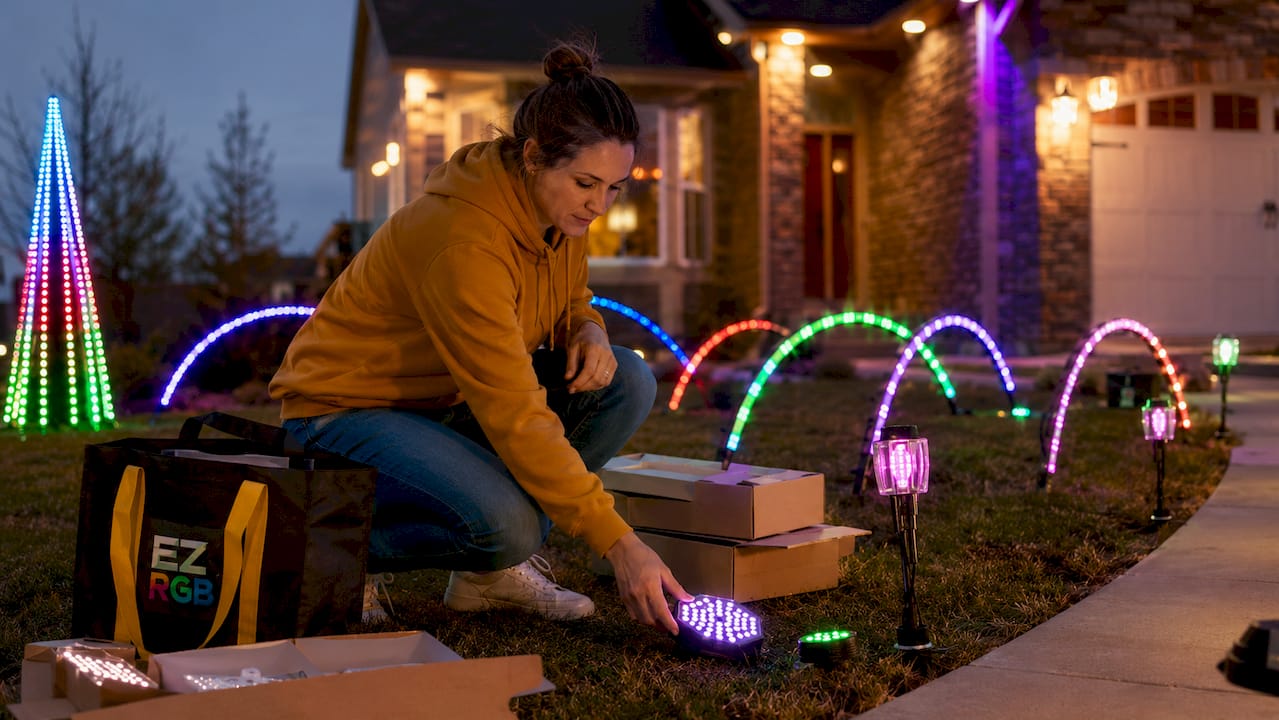
Plug & Play Props that arrive prewired with pixel lights, ready to connect without any assembly
-
EZPlayer, a web-based show player for scheduling, music sync, and cloud updates
-
Full technical support and step-by-step guides for decorators at every experience level
Traditional incandescent or static LED string lights give you one look all season. Animated pixel lighting, by contrast, lets you run different color patterns, effects, and music-synchronized sequences every night. EZRGB is built specifically to make that level of display accessible to homeowners, not just professional installers.
How to prepare your home photo and measurements for EZRGB
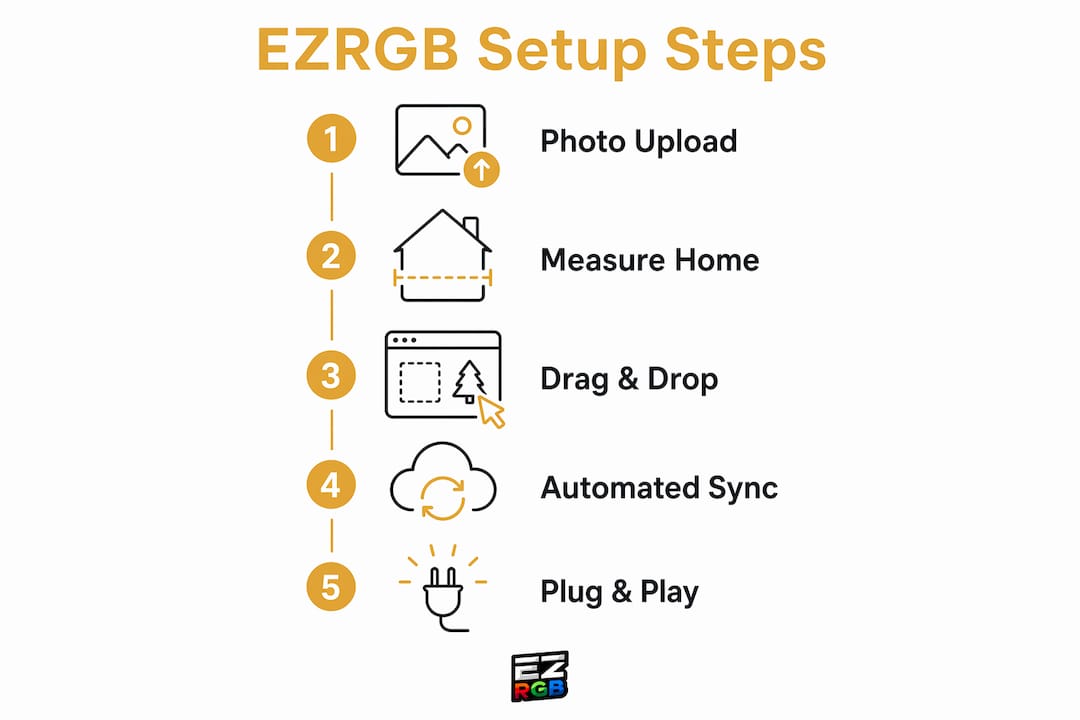
Getting your photo and measurements right is the single most important step before you open the designer. Poor previsualization is one of the most common causes of frustration in lighting projects, and it is entirely avoidable with a few minutes of preparation.
Steps to follow:
-
Stand far enough back that your entire home façade fits in the frame with no cropping at the roofline or sides
-
Shoot in good natural light, midday works well, so the photo is sharp and the edges of windows and doors are clearly visible
-
Measure the width and height of your front door, a window, or garage door by using a tape measure
-
Write that measurement down before you upload anything, because the designer uses it to scale props accurately to your home
-
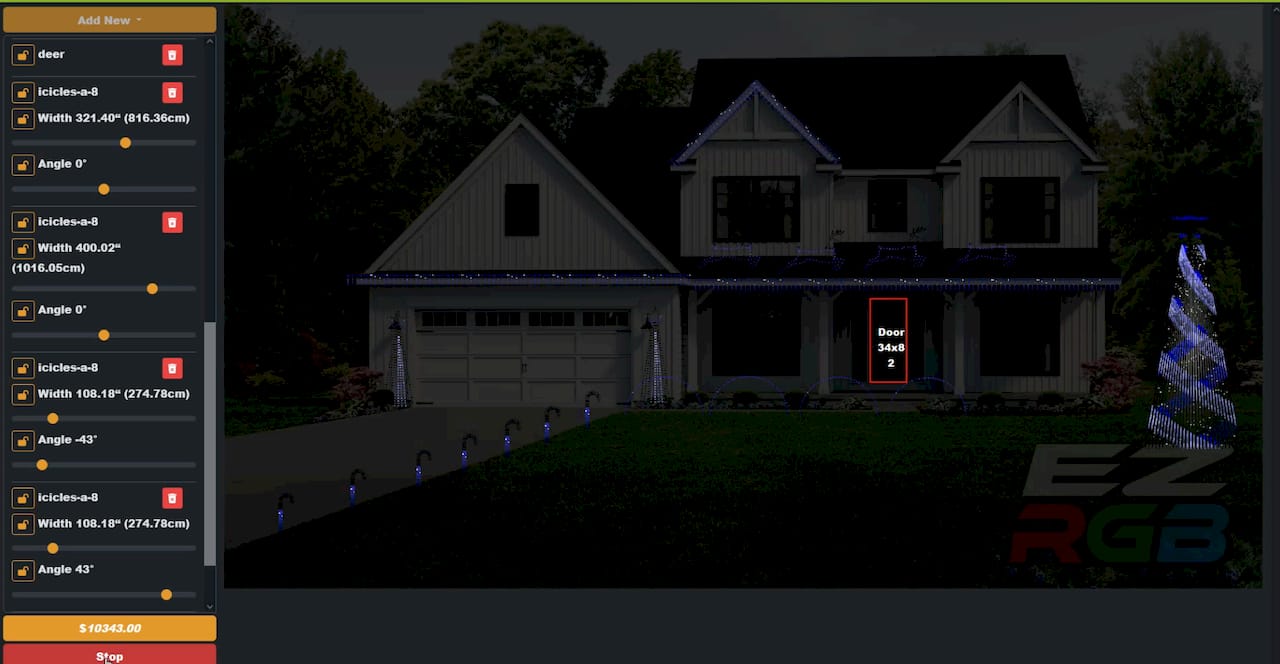
Upload the photo, adjust the measurement box, and enter your measurement inside the EZRGB Light Show Designer to establish the correct scale
Scaling matters more than most decorators expect. If your door measurement is off by a foot, props will appear too large or too small in the preview, and that mismatch carries through to the physical installation.
Pro Tip: Measure twice and photograph once. A sharp, accurately scaled photo saves you from rescaling your layout .
How to use the EZRGB Light Show Designer to build your display
The EZRGB Light Show Designer is a browser-based tool, so there is nothing to install. You work directly on top of your home photo, which means every placement decision is visual and immediate rather than abstract.
How the design process works:
-
Import your scaled home photo to create a live canvas that reflects your actual façade
-
Browse EZRGB’s library of pre-designed animated props, including roofline segments, window frames, arches, and specialty displays
-
Drag each prop onto the photo and position it where you want it on your home
-
Adjust the position and orientation until the prop is perfectly placed
-
Preview the full layout digitally before you commit to a purchase, so you can rearrange props until the design looks exactly right
Once your layout is saved, EZSequence takes over. This is where EZRGB’s automation separates it from manual approaches. EZSequence automatically maps purchased lighting sequences to your specific layout using cloud-based rendering, eliminating the manual programming that traditionally takes professional lighting designers many hours per show. You click “buy,” and the sequencing is handled for you.
How to purchase your design and receive your plug-and-play props
Finalizing your design and placing your order is straightforward. EZRGB’s web shop is built to be simple, so the checkout process is familiar and the order tracking is clear.
What to expect after you order:
-
Your custom layout is saved to your EZRGB account, tied directly to the props you selected in the designer
-
Props ship pre-assembled with pixel lights already installed, ready to connect to your controller right out of the box
-
There is no kit assembly, no soldering, and no loose wiring to sort through before installation
-
Each prop connects to your controller with a waterproof pigtail, so setup is a matter of placing the prop and plugging it in
-
EZRGB’s customer support team is available if any questions come up during delivery or installation
This is a meaningful difference from the hobby approach to animated lighting, where decorators typically source raw pixel strips, build their own props, and wire everything manually. EZRGB’s plug-and-play props remove that entire layer of technical work. Decorators who have made the switch consistently highlight how much time the pre-assembled props save compared to building from scratch.
For a complete starter option, the Christmas Light Show Kit 1 bundles props and controller hardware together, which is a practical starting point if you are setting up your first animated display. This is a easy way to get started without worrying about designing right away.
How to play and control your show with EZPlayer
EZPlayer is the software layer that runs your show after your props are installed. It functions as a networked show player with a web-based interface, so you can access it from a desktop, laptop, tablet, or mobile device without installing separate apps.
What EZPlayer lets you do:
-
Syncs your purchased EZRGB sequence files, which EZPlayer associates with the corresponding audio tracks automatically
-
Build playlists by grouping songs into ordered sets, then assign those playlists to specific days and time windows using the Scheduler
-
Set intro and outro sequences, adjust playback priority, and toggle shuffle or loop for each schedule item
-
Control volume levels and monitor controller status from the same interface
-
Allows user to access your viewer website and listen from their mobile device and find out show info, such as show times.
-
Receive cloud-based sequence updates when EZRGB releases new programming for your props, without needing to reprogram anything manually
EZPlayer supports .fseq and .mp3 playback, DDP and E1.31 controllers on attached IPv4 networks, a jukebox view for song selection, and a live status display. That combination covers everything a homeowner needs to run a polished, music-synchronized animated show night after night. Unlike static LED string lights that simply stay on, EZPlayer gives you a different show every evening if you want one, all scheduled in advance.
Common mistakes to avoid when designing with EZRGB
Most design problems trace back to a small number of avoidable errors. Knowing them in advance keeps your project on track.
-
Blurry or poorly framed photos. A low-resolution image makes it hard to align props accurately in the designer. Use a phone camera in good light and check sharpness before uploading.
-
Missing or estimated measurements. Guessing your door length or window width throws off the scaling, which means props will not line up with the physical features they are meant to cover. Measure before you design.
-
Forgetting about rooflines that may not be visible. Make sure to take another look around the home to make sure your added lights to all rooflines and windows that may hide from the angle of the photo taken.
-
Skipping the digital preview. The designer lets you preview your full layout before purchase. Skipping that step means discovering a prop may not be what you expected.
-
Ignoring available resources. EZRGB provides step-by-step guides and customer support specifically for decorators who are new to animated lighting. Using those resources before you start saves time and prevents the most common setup errors.
For additional layout guidance, EZRGB’s holiday lighting placement tips cover spacing, balance, and how to prioritize which features of your home to highlight first.
Ready to start your animated light show?
EZRGB gives you everything you need to go from a home photo to a fully running animated light show, without needing any technical background. The Light Show Designer, EZSequence automation, and EZPlayer work as a connected system so each step feeds directly into the next. Visit EZRGB’s full product range to explore props, kits, and sequences, or head to the guides and help page if you want to walk through the process before you buy.
Key Takeaways
EZRGB makes designing an animated light show straightforward by combining a photo-based drag-and-drop designer, automated sequence rendering through EZSequence, and web-based show control through EZPlayer into one connected platform.
| Point | Details |
|---|---|
| Start with an accurate photo | A sharp, well-lit photo with correct measurements is the foundation for accurate prop placement in the designer. |
| EZSequence handles the programming | Cloud-based rendering maps purchased sequences to your layout automatically, removing the need for manual channel mapping. |
| Props arrive ready to install | Plug & Play Props ship pre-assembled with pixel lights installed, so setup requires no soldering or kit assembly. |
| EZPlayer runs and schedules your show | Use the web-based Scheduler to assign playlists to specific days and times, with cloud updates delivered automatically. |
| Preview before you purchase | The digital preview in the Light Show Designer lets you confirm prop placement and appearance before your order ships. |
FAQ
What devices does EZPlayer work on?
EZPlayer works on Windows, Mac, Linux, and a Raspberry Pi. Once you register on the EZRGB site you can access it from any desktop, laptop, or mobile device anywhere in the world.
Can I use EZRGB without any prior lighting experience?
Yes. The EZRGB Light Show Designer is built for non-technical decorators or someone looking to save time. You upload a home photo, drag props into position, and EZSequence handles all the mapping and sequence rendering automatically.
How does EZRGB handle music synchronization?
EZPlayer pairs each .fseq sequence file with its corresponding .mp3 audio track, so playback is synchronized automatically. You schedule which songs play and when through the Scheduler, and the lighting effects follow the music without any manual adjustment.
What happens if EZRGB releases updates to my sequences?
EZPlayer receives cloud-based updates to sequences and prop programming, so you do not need to reprogram your show from scratch. New sequences download and sync to your layout through your EZRGB account.
How is animated pixel lighting different from standard LED string lights?
Standard LED string lights stay on in a fixed color or cycle through basic patterns. Animated pixel lighting, powered by EZRGB’s RGB system, runs music-synchronized sequences with over 16 million color combinations, giving you a fully choreographed display that changes every night.