How Holiday Display Previews Work: A 2026 Guide
Holiday display previews are digital simulations of your home’s lighting setup, built before a single strand goes up. You upload a photo of your home, place virtual lights and props on the image, customize colors and animation effects, then sync everything to music through a show file. Platforms like EZRGB make the entire process accessible without any technical background. In the designer the preview button now takes this further, converting your daytime photo into a nighttime video rendering instantly. The result is a clear, emotionally engaging picture of exactly what your display will look like, before you spend a dollar on installation.
-
Digital model: Your home photo becomes the canvas for placing virtual lights, props, and decorations.
-
Show file: The exported file stores color data for every pixel at each frame, typically refreshed 20–40 times per second.
-
Show Synchronization: Professionally programmed EZRGB Christmas light sequences sync through EZPlayer, while advanced users can also import compatible sequences created in xLights.
-
Night Preview: Generate a photorealistic nighttime rendering of your animated Christmas light display to visualize the finished show before installation begins just by clicking preview.
-
Hardware handoff: Controllers receive the show data via the E1.31 protocol and drive individual addressable pixels.
How to create a holiday display preview, step by step
-
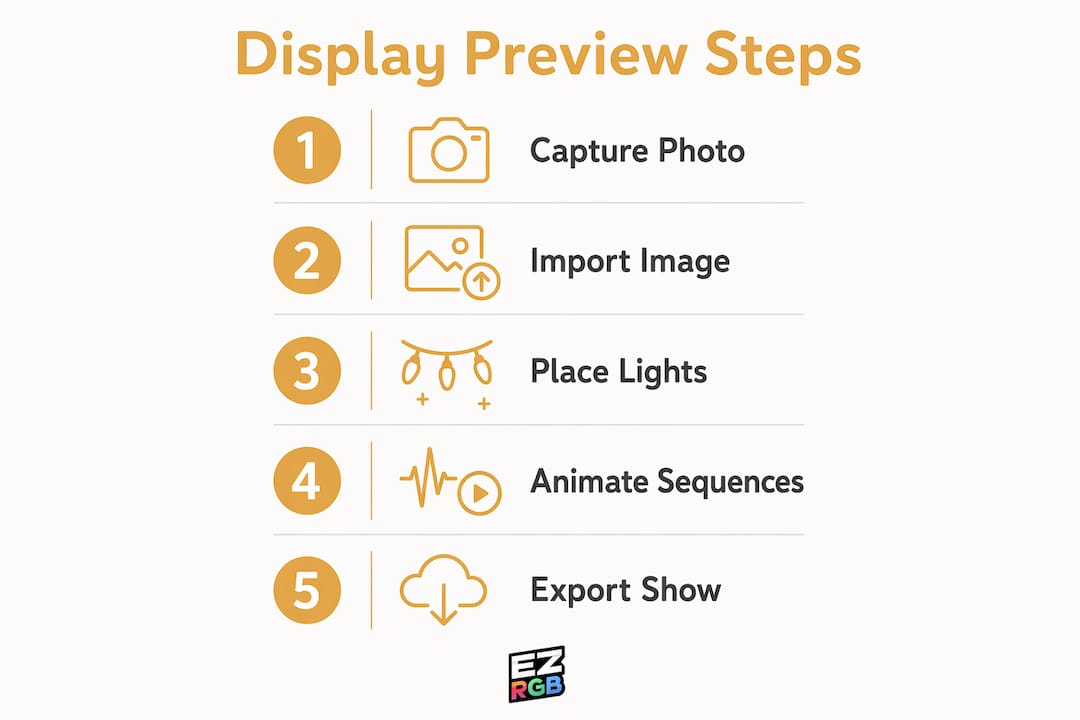
Capture a straight-on photo of your home. Shoot from eye level, centered on the facade. Angled shots introduce perspective distortion that throws off roofline measurements and light strand counts.
-
Upload a photo of your home and build your digital layout. With the EZRGB Designer, simply import a clear daytime photo and enter a reference dimensions to accurately scale your home.
-
Add virtual lights and decorations. Drag pixel props onto the layout. EZRGB’s drag-and-drop designer includes prebuilt pixel props so you can place arches, mega trees, snowflakes, and roofline strands without building models from scratch.
-
Adding a light sequence or song. With EZRGB, you can skip the sequencing process entirely by choosing from professionally programmed Christmas light sequences that are ready to use. Simply sync your purchased sequences through EZPlayer, and your animated holiday light show is ready to perform without manually programming effects, rendering files, or mapping timelines.
-
Sync the show file. The finished sequence syncs the file containing the color value of every pixel at every frame to EZPlayer. Controllers then read this file and output signals to your physical lights.
-
An easy simulated preview. EZRGB platform can take your photo and selected lighting options and return a realistic nighttime rendering instantly. This step is especially useful for sharing with family members or clients who struggle to visualize the final result from a software layout alone.
Pro Tip: Avoid angles in your photo, if you notice an angle just retake the photo to correct this easily.
Key technologies that power holiday display previews
Understanding what runs under the hood helps you troubleshoot problems and choose the right tools.
-
Show files and pixel data. A show file contains the red, green, and blue intensity value for every pixel at every frame. At a refresh rate of 20–40 times per second, even a modest display generates a large volume of data. The file format must be compatible with your show computer and controller.
-
Controllers and the pixel protocol. Controllers receive color data packets from the show player over an IP-based network using the E1.31 or DDP streaming protocol. Each controller holds an IP address and knows which pixel universe it manages. It then converts that data into pixel signals that drive individual LEDs.
-
WS2811 addressable pixels. Each pixel contains a tiny microchip that reads its own color instruction and passes the rest of the data down the strand. This is the same protocol used in PC RGB lighting strips, adapted for outdoor, waterproof holiday use.
-
2D vs. 3D previews. A 2D preview maps lights onto a flat photo, which is fast and sufficient for most residential designs. A 3D preview builds a full spatial model of the property, giving you accurate depth and shadow behavior. Three-dimensional previews take longer to set up but are more reliable for complex multi-zone displays.
-
Preview video rendering. Using EZRGB designer you can generate simulated nighttime renderings from a daytime photo instantly.
Visual presentations are 43% more persuasive than verbal descriptions alone. For lighting contractors, that translates directly: teams using preview software report close rates reported to increase significantly, compared to far lower rates when relying on verbal walkthroughs or hand-drawn sketches.
-
File format compatibility. The most common export format is the FSEQ file. Your show computer, whether a laptop or a Raspberry Pi running Falcon Pi Player, must support the same format your controller expects. Mismatches here are one of the most frequent causes of a show failing to play correctly. EZPlayer takes care of this and make sure the correct format is there for your show.
-
Hardware requirements. A basic preview setup needs only a computer with enough processing power to run a web browser-based platform like EZRGB. Running the actual show adds a player which can be a computer or raspberry pi, one or more controllers, power supplies, and the pixel strands themselves.
Why professionals and homeowners rely on preview tools
Preview software does two jobs at once: it’s a planning tool and a communication tool.

For lighting professionals, the planning side reduces costly errors and speeds up the design process. With the EZRGB Designer, contractors can make real-time changes during a client meeting, adding decorations, adjusting the layout, or designing to fit a specific budget in just a few clicks. Customers immediately see how those changes affect their animated holiday light display, helping reduce revision requests and setting clear expectations before installation begins.
For homeowners, the value is just as significant. Seeing your own house transformed into an animated Christmas light display creates excitement and confidence that a generic product photo simply can’t provide. By uploading a photo of your home into the EZRGB Designer, you can experiment with rooflines, pixel props, wreaths, arches, and other decorations before making a purchase. EZRGB lets you visualize exactly how your holiday light show will look, making it easier to choose the perfect design while avoiding costly surprises.
“Before-and-after photos help, but they’re rarely compelling enough. It’s hard to get excited about someone else’s house. But what if it was your house?” — Carnevale, Lighting the Way with AI
EZRGB addresses both audiences. Its cloud-based platform lets you upload a home photo, place prebuilt pixel props with a drag-and-drop interface, and sync the display to music without writing a single line of sequencing code. The EZPlayer connection keeps your show updated year after year, so you’re not starting from scratch each season. For contractors, that means faster proposal cycles and accurate material estimates. For homeowners, it means a professional-quality display without the learning curve of traditional sequencing software.
-
Drag-and-drop props eliminate manual pixel mapping.
-
Cloud management delivers sequence updates and prop changes automatically.
-
Prebuilt pixel options cover common display elements out of the box.
-
Over 16 million color options give you full creative range.
Start building your preview with EZRGB
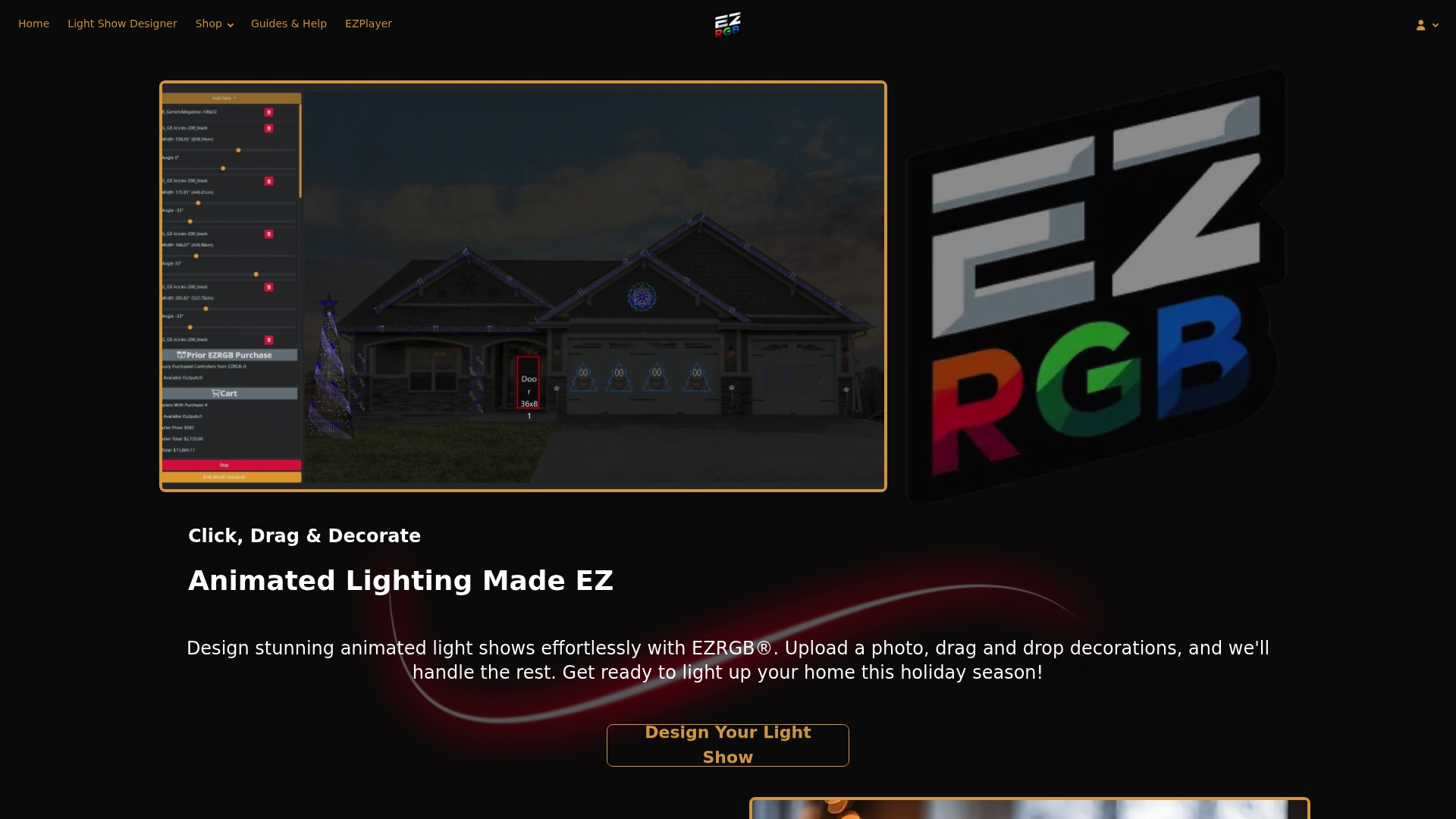
EZRGB makes it straightforward to go from a photo of your home to a fully animated, music-synced light show. Upload your photo, place your props, and watch the preview come to life before ordering a single kit. Visit EZRGB’s holiday light platform to get started, or browse the guides and help resources for step-by-step support.
Key Takeaways
Holiday display previews work best when you combine accurate photo capture and EZRGB to see a realistic result before installation.
| Point | Details |
|---|---|
| Photo accuracy matters | Straight-on, eye-level photos prevent perspective distortion that skews roofline measurements. |
| Show files drive the hardware | Exported files store pixel color data refreshed 20–40 times per second, read by controllers via E1.31 or DDP. |
| Video previews close the gap | Generate a nighttime renderings from a daytime photo instantly. |
| Visual previews increase sales | Visual presentations are more persuasive than verbal descriptions alone. |
| EZRGB simplifies the workflow | EZRGB’s cloud-based platform handles sequencing, prop placement, and annual updates without technical setup. |
FAQ
How do holiday light display previews work?
You upload a photo of your home, place virtual lights and props on the image using the EZRGB site, then click preview.
What is a computer-controlled Christmas light display called?
It’s commonly called a pixel light show or an RGB light show. The display uses individually addressable LED pixels, each controlled by a microchip, to produce synchronized color animations tied to music.
What software do professionals use to preview Christmas light shows?
EZRGB offer browser-based, drag-and-drop that skips the manual sequencing process entirely and include cloud-based show management.