Lights Animation for Homeowners: Easy Music-Synced RGB Kits
Lights animation, in the context of home holiday decorating, means a music-synchronized RGB light show you design with an online layout tool and run with a cloud-connected player. The fastest path to your first public show with EZRGB looks like this:
-
Upload a photo of your home to the EZRGB layout designer
-
Drag and drop props onto your roofline, windows, and yard
-
Let EZSequence auto-generate sequences matched to your layout
-
Receive your kit with pre-programmed controllers and all hardware
-
Plug in, launch EZPlayer, schedule your playlist, and run your show
Skipping manual sequencing in year one is the single biggest time-saver available to first-time homeowners. EZRGB’s cloud-based tools handle the mapping and rendering automatically, so your lights sync to music from the first night without any programming experience.
Table of Contents
What does “lights animation” actually mean for homeowners?
Animated holiday light shows use individually addressable RGB pixels, each containing red, green, and blue diodes, to produce millions of colors and dynamic motion effects that static string lights simply cannot replicate. This is not about film or VFX. It is about your house, your music, and a controller that tells every pixel exactly what to do, beat by beat.
A typical EZRGB display might run a roofline of color-chasing pixels that pulse in time with a Christmas song, a pair of RGB mini-trees that shift colors on every chorus, or a singing-face prop whose mouth and eyes animate in sync with the vocal track. Each of those effects is driven by a sequence file generated by EZSequence, played back through EZPlayer, and controlled by a show controller that ships inside your kit. The benefits of animated holiday lighting go well beyond aesthetics: the whole neighborhood notices the difference between a static display and one that performs.
How does a plug-and-play lights animation show work, step by step?
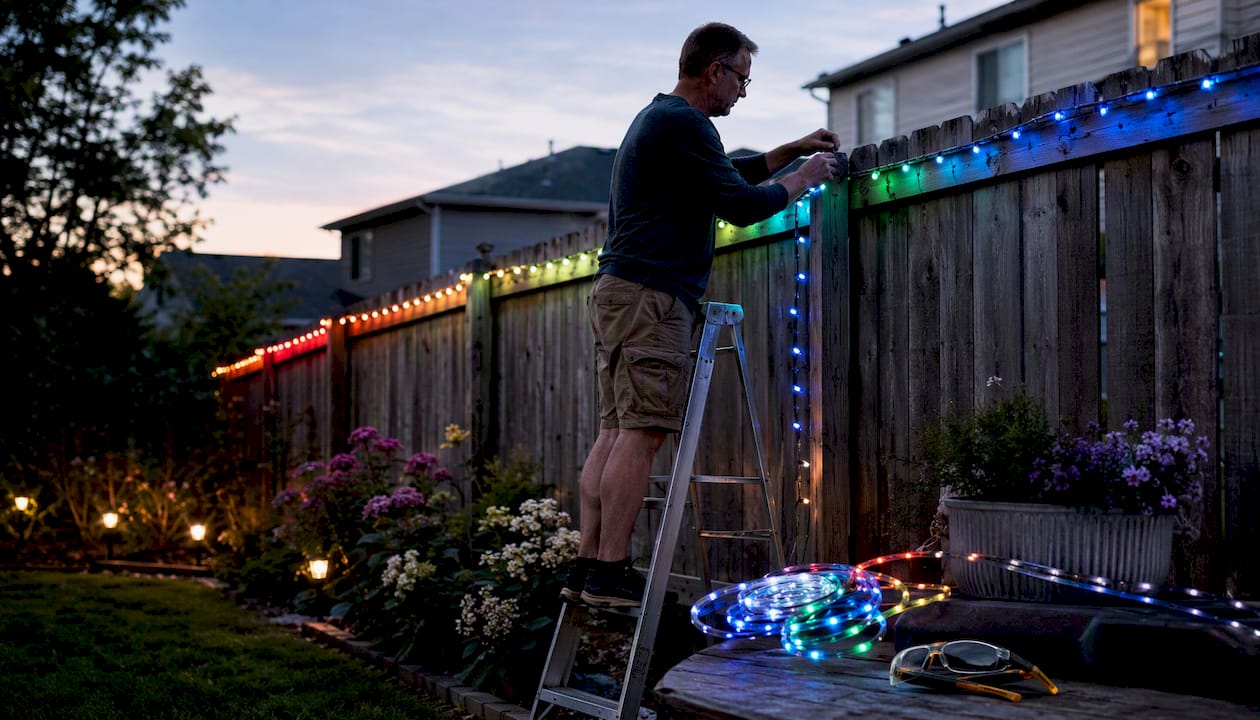
The workflow is straightforward. Here is what happens from your first click to your first show:
-
Upload your home photo. Open the EZRGB layout designer in your browser and upload a photo of your house. No software to install.
-
Place your props. Drag roofline strings, trees, arches, or specialty props onto the photo. The designer shows you exactly how the display will look.
-
Generate your sequence. EZSequence reads your layout and automatically builds a synchronized sequence for every prop, matched to the music you choose. This eliminates the manual mapping and rendering that can take many hours per minute of music when starting from scratch.
-
Order your kit. The designer tells you exactly which controller, pixel strings, and props to order. Your kit ships with everything pre-programmed.
-
Install and connect. Mount props, run the included extension cords, and plug into your controller. The website lists where all connections are and allows for easy installation.
-
Schedule and play with EZPlayer. Open EZPlayer, sync your purchased EZRGB songs, set your show schedule, and press play. The cloud connection keeps your sequences current.
What comes in a typical plug-and-play kit?
| Item | Role |
|---|---|
| Show controller | Receives sequence data and drives pixel output across multiple ports |
| Pixel strings or RGB props | Individually addressable LEDs that produce color and motion effects |
| Pixel pre installed in props | This not only saves you time but also guarantees they are properly built. |
| Power supplies and extension cords | Deliver correct voltage to each prop zone; included and pre-measured |
| Mounting hardware is not included |
The Roofline Special kit is a good example of what a starter package looks like in practice: controller, pixel strings, cabling, and sequences arrive together, pre-configured for your layout. Optional add-ons include additional props like arches or singing faces, an FM transmitter so neighbors can tune in from their cars, or speakers in the yard. All wiring and controller configuration is done before the kit ships; your job is placement and power connection.
How do you plan your layout and avoid overbuying?
Previsualization is the most cost-effective planning step available before you spend a dollar on hardware. Run through this checklist before placing your order:
-
Measure your roofline length and note any dormers, peaks, or garage sections
-
Photograph your house from the street at the angle you want viewers to see
-
Identify two or three focal points (front door, main roofline, a large tree) where animation will have the most impact
-
Locate your outdoor outlets and plan power zones to avoid long voltage runs
-
Count pixels per prop using the EZRGB designer’s built-in estimates
Pro Tip: Complete your digital mockup in the EZRGB layout designer before finalizing your cart. The designer shows you prop counts and controller port usage, so when you checkout on EZRGB you know you are ordering exactly what you need.
What does a typical timeline and budget look like?
Timeline from design to first show:
-
Design and order: 30–60 minutes using the EZRGB layout designer
-
Shipping: typically 10–20 business days depending on location
-
Installation: 2–4 hours for a starter roofline kit
-
First show: same evening as installation
Typical starter kit cost ranges:
| Display size | Approximate range | Key cost drivers |
|---|---|---|
| Small (roofline only) | $650 | Pixel count, one controller |
| Medium (roofline + 2–3 props) | $1,200 | Additional props, more controllers |
| Large (full-yard display) | $5,000+ | Multiple controllers, specialty props |
Ongoing costs to budget for include new sequences for additional songs and optional prop additions each season. Because EZPlayer and EZSequence are cloud-based, you do not pay to re-render or remap your show when you add a prop; the platform updates your existing layout.
What technical basics do you need to know before buying?
You do not need an engineering background, but a few concepts will help you buy the right kit and install it safely:
-
Individually addressable pixels: Each RGB pixel has its own chip and receives its own color instruction per frame, enabling motion effects impossible with standard LED strings.
-
Controller ports and channels: A controller like the Baldrick 8-port drives up to eight separate pixel runs; each port handles a defined pixel count. Which the Layout Designer figures this out for you to eliminate power injection.
-
Outdoor ratings: All pixel props and connectors in an EZRGB kit are rated for outdoor use; keep power supplies under cover or in a weatherproof enclosure.
-
xLights compatibility: EZRGB kits support xLights integration, so users who want to build custom sequences later can import their layout without starting over.
EZPlayer connects to your controller over your home network and syncs sequence updates from the cloud automatically.
How does EZPlayer let you manage and update your show?
EZPlayer is the cloud-connected show management tool that keeps your display running and current year after year. Once your kit is installed and connected to your home network, you log into EZPlayer through the EZRGB website to sync your purchased songs, build playlists, program controllers, and set a daily schedule (start time, end time, repeat days). Changes take effect without touching the controller.
When you add a new prop or purchase an additional sequence, EZPlayer pulls the updated files from the cloud and applies them to your existing layout. There is no re-rendering and no manual file transfer. This is the practical advantage of a cloud-based system over standalone show players: your show stays current without you rebuilding it from scratch each season. The EZRGB guides and help center includes step-by-step walkthroughs for every EZPlayer function, from initial setup to advanced playlist scheduling.
Common problems and how to fix them
-
Controller not responding: Confirm the controller is powered and connected to your network. Restart EZPlayer and re-sync. Check that the correct network address is selected in your settings.
-
Outdoor connector corrosion: Inspect waterproof connectors at the start of each season. Apply dielectric grease to exposed metal contacts and replace any connector showing green oxidation.
For issues you cannot resolve with the guides, the EZRGB support team is reachable through the [email protected]
Key Takeaways
EZRGB’s plug-and-play RGB kits, combined with EZSequence auto-generation and EZPlayer cloud scheduling, give North American homeowners the fastest path from photo to a fully synchronized animated holiday light show.
| Point | Details |
|---|---|
| EZSequence makes it easy | Use custom built sequences so you can have the best looking home |
| Design before you buy | Complete a digital mockup in the EZRGB layout designer to build your show. All you have to do is checkout and your custom light show is on the way. |
| EZPlayer keeps shows current | Cloud sync means you update playlists and add sequences anytime, Buy a sequence in your yard and watch it play on your home in minutes |
| EZRGB starter kits | Range from approximately $600 for a small roofline display to higher amounts for a full-yard animated show, depending on props, & controllers |
What the EZRGB Team thinks about getting started
Most homeowners who hesitate before their first animated display are worried about the technical side. That concern is understandable, but it is also the thing EZRGB was specifically built to remove. The photo-to-show workflow (upload, design, EZSequence, EZPlayer) exists precisely because manual sequencing and controller mapping are genuinely hard for someone.
The advice we give most often: resist the urge to build a massive display in year one. A well-sequenced roofline with one or two focal props will draw more attention than a yard full of pixels running generic effects. Tight synchronization is what makes a crowd stop and watch. Start focused, use the preprogrammed sequences, and let the animated holiday display setup guide walk you through installation. You can always expand in year two, and EZPlayer makes that expansion painless.
Your first animated light show starts here
EZRGB gives you a complete plug-and-play path to a professional animated holiday display, without the manual sequencing, without the guesswork on hardware, and without starting over each season. A Christmas Light Show Kit ships with a pre-programmed controller, pixel strings, extension cords, and cloud-synced sequences ready to run through EZPlayer on day one. EZSequence generates your show automatically from your layout, and EZPlayer handles scheduling, song syncing, and year-over-year updates from any browser.
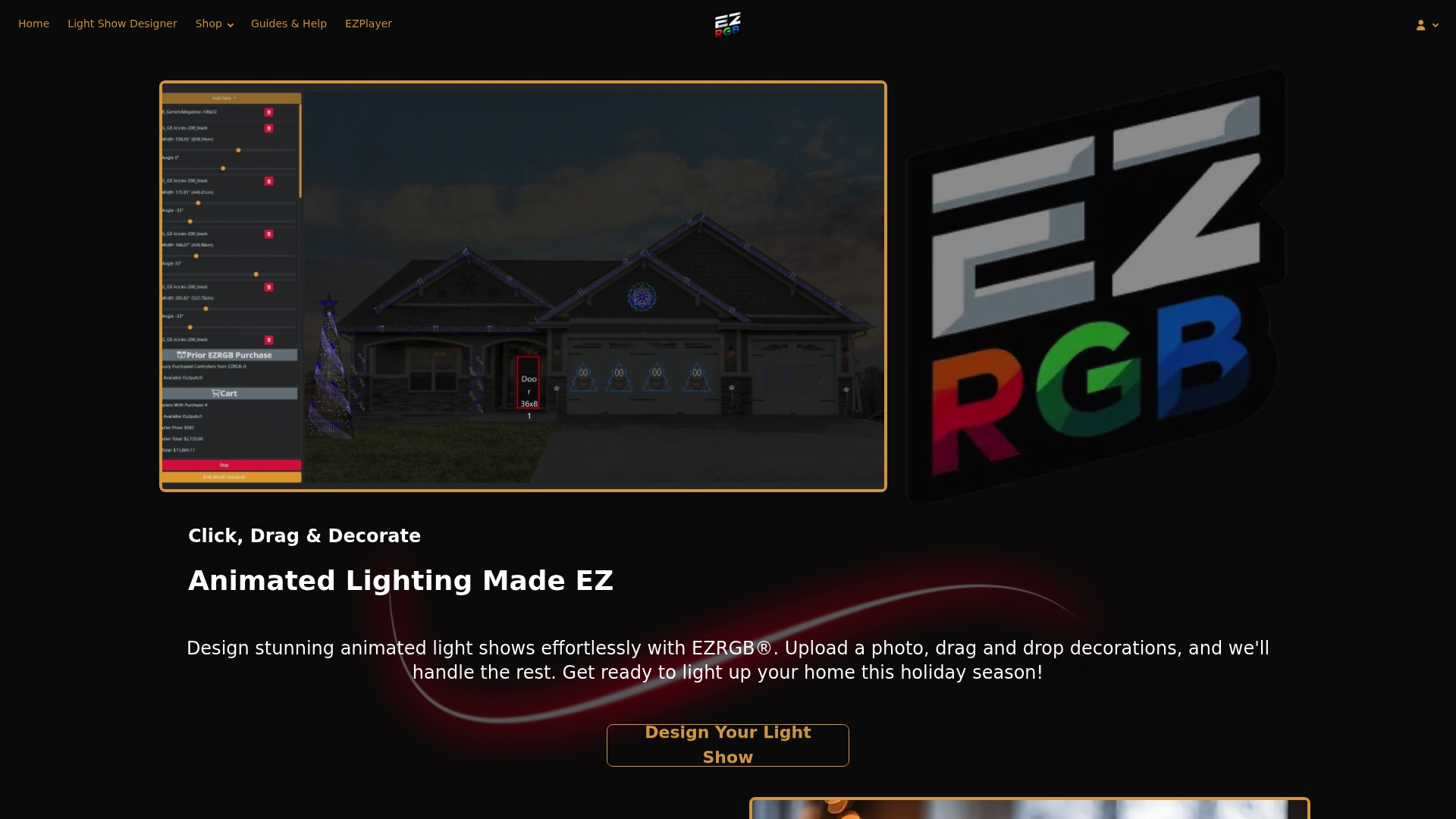
Visit ezrgb.com to upload your home photo, build your free digital mockup, and find the kit that fits your display size and budget.
Useful sources
-
EZRGB Guides and Help Center — step-by-step setup, EZSequence, and EZPlayer walkthroughs
-
Pre-Programmed Lighting Effects for Holiday Displays | EZRGB — why prebuilt sequences work best for first-year installs
-
How EZRGB Makes Designing Your Light Show Easy — layout designer and EZSequence overview
-
A Beginner’s Guide to Building Outdoor Light Shows Synchronized to Music — community context on sequencing time investment and why preprogrammed sequences save hours
FAQ
What is lights animation for a home holiday display?
Lights animation refers to music-synchronized RGB pixel shows where individually addressable LEDs change color and pattern in time with audio. EZRGB’s platform lets homeowners design and run these shows without any programming experience.
How long does it take to set up a first animated light show?
Design and ordering typically takes 30-60 minutes using the EZRGB layout designer; installation of a starter roofline kit runs two to four hours, and your first show can run the same evening.
Do I need to know how to sequence lights manually?
No. EZSequence generates sequences automatically from your uploaded layout, and EZRGB kits ship controllers ready to be programmed through EZPlayer.
What is EZPlayer and how does it work?
EZPlayer is EZRGB’s cloud-connected show management tool. You use it to sync purchased songs, schedule playlists, and receive sequence updates without touching your controller or re-rendering your show.
Can EZRGB kits work with xLights?
Yes. EZRGB kits support xLights integration, so homeowners who want to build or import custom sequences later can do so without replacing their hardware or rebuilding their layout from scratch.