Holiday Lighting Mistakes EZRGB Helps You Prevent
Most holiday lighting problems come down to three repeating patterns: overloaded circuits, chaotic layouts with no visual plan, and animated displays that take hours to program before a single light blinks. EZRGB’s platform addresses all three through a drag-and-drop layout designer, automated sequencing via EZSequence, and cloud-based show control through EZPlayer. Whether you’re hanging your first animated display or rebuilding last year’s setup, knowing where decorators go wrong makes the difference between a show that runs all season and one that trips a breaker on opening night.
The most common holiday lighting design mistakes fall into these categories:
-
Electrical errors: Daisy-chaining too many strands, exceeding circuit limits, and mixing indoor and outdoor components
-
Design errors: Uneven spacing, mismatched colors, and no focal points or visual flow
-
Planning failures: Rushed installs, poor wire management, and no upfront layout visualization
-
Animated display complexity: Manual pixel mapping and sequence-to-prop mismatches that waste hours
-
Safety oversights: Tripping hazards from loose cords, inadequate weatherproofing, and unsecured mounting
Pro Tip: Start your EZRGB layout design in July or August. Uploading your home photo and placing props early means your wiring plan is ready before the first strand ships, and you avoid the mid-December scramble entirely especially using the wiring guide after ordering. All you have to do is tell the system where the outlets on the exterior of your home are and it will guide you on where to place controllers.
What are the most common holiday lighting mistakes to avoid?
Overloading circuits is the most frequently cited electrical mistake in holiday lighting. Plugging too many strands into a single outlet, or daisy-chaining beyond the manufacturer’s specified maximum connections, causes tripped breakers and overheating. Animated pixel strings have limitations with there date and power, but the EZRGB system figures this out for you so you don’t have to worry.
Using indoor lights outdoors is another hazard that shows up every season. Indoor strands lack the sealed sockets and weatherproof insulation required for outdoor exposure. Mixing incompatible components or running cords through closed windows or doors creates hidden short-circuit risks that are hard to spot until something fails.
On the design side, chaotic layouts and mismatched colors consistently reduce the visual impact of a display. A good animated show has intentional focal points, balanced spacing, and a color palette that works together rather than competing. Throwing lights on every available surface without a plan produces a cluttered result that looks rushed.
Additional mistakes worth avoiding:
-
Skipping weatherproofing on pixel connectors
-
Using tape or pushpins instead of proper gutter clips and mounting hardware
-
Leaving cords loose across walkways, creating tripping hazards
-
Neglecting weekly inspections for frayed wires or failed connections
-
Waiting until December to plan, when supply is limited and installs are rushed
How does EZRGB’s platform help prevent these design mistakes?
The biggest single improvement EZRGB brings to animated holiday lighting is forcing you to plan visually before you touch a single strand. You upload a photo of your home directly into the EZRGB layout designer, then drag and drop props onto the image where you want them. That upfront visualization catches wiring chaos and layout problems before they happen in your yard.
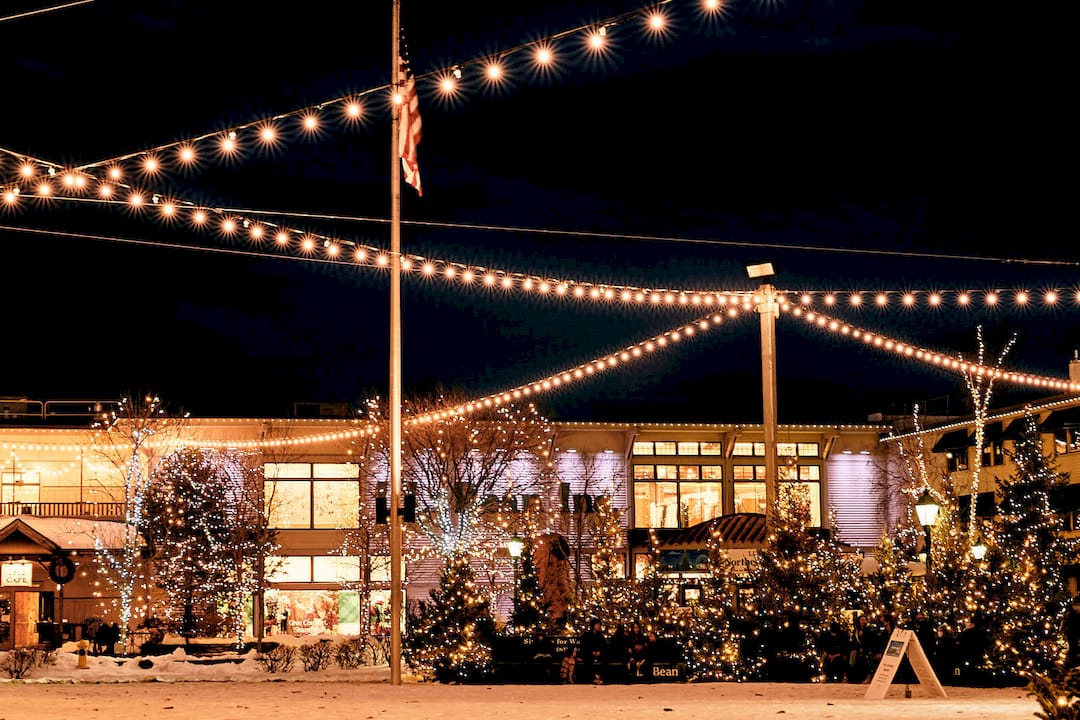
Professional installers consistently flag early visualization as the single most effective way to prevent rushed setups and poor wiring decisions. EZRGB’s designer builds that practice into the process automatically.
Once your layout is set, EZSequence takes over. It reads your prop placement and automatically generates a synchronized sequence matched to your chosen music. Traditional animated lighting software requires mapping sequences manually, a process that typically takes beginners over 10 hours before a single song is ready to run. EZSequence eliminates that entirely.
Sequence-to-prop mismatch is one of the most frustrating problems in animated lighting. When a purchased sequence was built for generic props and your layout is custom, every element needs to be remapped by hand. EZRGB automates the synchronization between your specific prop placement and the music sequence, so the show plays correctly the first time.
EZPlayer rounds out the system with cloud-based show control. From the EZRGB website, you can schedule songs, sync newly purchased sequences, adjust what plays on any given night, and receive sequence updates year after year without rebuilding your setup from scratch. No physical interaction with the controller required.
Key platform benefits at a glance:
-
Drag-and-drop designer prevents layout and wiring errors before installation
-
EZSequence auto-generates music-synchronized sequences from your custom layout
-
EZPlayer schedules shows, syncs purchased songs, and manages updates remotely
-
Cloud updates keep your display current without starting over each season
Best practices for planning a professional animated display
Start with your power plan. Animated pixel strings draw more current than traditional LED string lights, so calculate your total amperage before installation and distribute loads across multiple circuits. Never exceed the manufacturer’s maximum strand connections, and use only outdoor-rated extension cords and GFCI-protected outlets for any exterior run.

Use EZRGB’s layout designer to map your holiday lighting placement before ordering props. Knowing exactly where each prop goes lets you calculate cable runs accurately and avoid the tangled, over-extended cord situations that create both safety hazards and visual clutter.
For maintenance throughout the season:
-
Inspect all pixel connectors and weatherproofed wire ends weekly
-
Check mounting hardware after wind or rain events
-
Use EZRGB’s product care guidance for troubleshooting failed pixels or connection issues
-
Consistent internet to EZPlayer allows for updates when you buy a new sequences or you make a change to keep the show fresh
Pro Tip: You can use a dedicated outdoor timer on your EZRGB controller circuit. Set it to match your EZPlayer schedule so the system powers down automatically, reducing wear on components.
Why EZRGB is the right choice for animated holiday lighting
Animated holiday lighting has a reputation for being complicated. That reputation comes from the traditional workflow: buy pixel strings, build props, map every pixel position manually in sequencing software, purchase sequences built for someone else’s layout, then spend hours remapping them to your own. Most first-year builders report the software learning curve alone takes weeks.
EZRGB was built specifically to remove that barrier. The layout designer, EZSequence, and EZPlayer work together as a single connected system, so the steps that used to require technical expertise now happen automatically. You place props on a photo of your home, the platform generates your sequence, and EZPlayer handles scheduling and updates from the cloud.
What that means practically: a homeowner with no prior experience in animated lighting can have a fully synchronized, music-driven pixel display running in a fraction of the time it would take with conventional tools. The display also grows with you. Because EZPlayer stays connected to the cloud, you can add new songs, update sequences, and expand your prop layout year after year without rebuilding anything from the ground up.
Key Takeaways
EZRGB’s layout designer, EZSequence, and EZPlayer work together to prevent the most common animated holiday lighting mistakes before they happen, from circuit overloads to sequence mismatches.
| Point | Details |
|---|---|
| Circuit overload is the top electrical risk | Distribute loads across multiple circuits and never exceed manufacturer strand limits. |
| Visual planning prevents wiring chaos | EZRGB’s drag-and-drop designer forces upfront layout decisions that reduce install errors. |
| Manual sequencing wastes hours | EZSequence auto-generates music-synced sequences, replacing a process that takes beginners over 10 hours manually. |
| Cloud control keeps displays current | EZPlayer lets you schedule shows, sync new songs, and update sequences remotely all season. |
| EZRGB simplifies animated lighting | The platform connects layout design, sequencing, and show control in one system built for homeowners. |
EZRGB makes animated holiday lighting accessible for every home
If you’ve been putting off an animated display because the setup seemed too technical, EZRGB is the direct answer to that concern. Upload a photo of your home, place your props with the drag-and-drop designer, and let EZSequence build your synchronized show automatically. EZPlayer keeps everything running on schedule from the cloud, with no manual reprogramming required when you want to add a new song or update your layout.
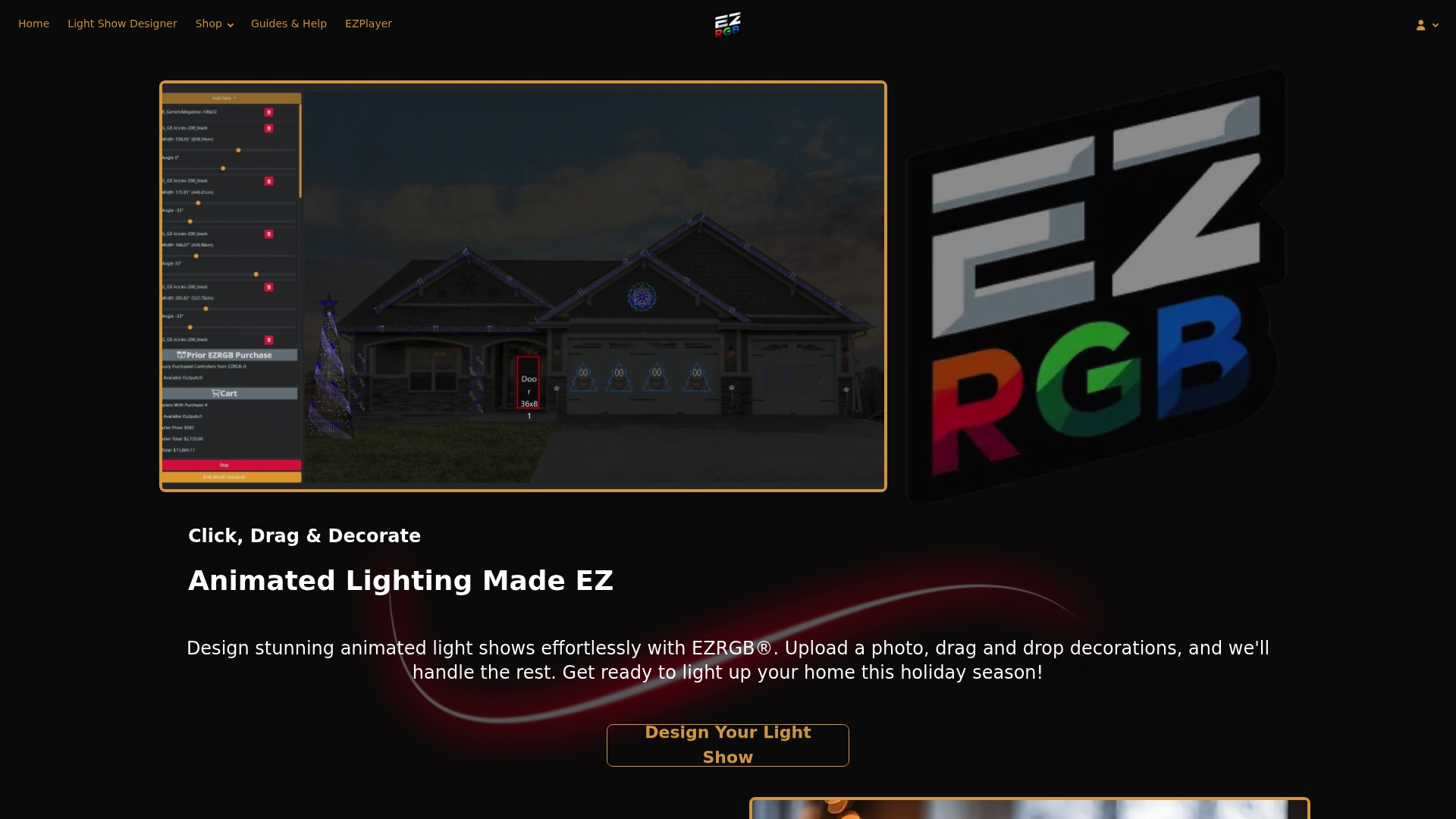
The Christmas Light Show Kit 1 gives you everything you need to get started, with EZRGB’s pixel props and platform access included. Ready to see what your home looks like with a fully animated display? Visit EZRGB’s official site to explore kits, browse available songs, and start designing your layout today.
FAQ
What causes circuit overloads in holiday lighting?
Daisy-chaining more strands than the manufacturer allows and plugging multiple runs into a single outlet are the primary causes.
How does EZRGB prevent sequence-to-prop mismatch?
EZRGB’s EZSequence reads your custom prop layout from the designer and automatically generates a synchronized sequence matched to it, eliminating the manual remapping that causes mismatch errors in traditional animated lighting software.
Can I update my EZRGB display after the season starts?
Yes. EZPlayer connects to the cloud, so you can add new songs, add new props, sync purchased sequences, and adjust your show schedule from the EZRGB website at any time without physically accessing your controller.
What safety steps matter most for outdoor animated displays?
Use outdoor-rated components and GFCI-protected outlets, weatherproof all pixel connectors, secure all mounting hardware with proper clips rather than tape, and keep cords clear of walkways to prevent tripping hazards.
Do I need technical experience to use EZRGB?
No technical experience is required. EZRGB’s drag-and-drop designer, automated sequencing, and cloud-based EZPlayer are built specifically for homeowners with no prior animated lighting background.