
How to Design Festive Home Exterior Lighting
Festive home exterior lighting is defined as any planned arrangement of decorative lights on the outside of a house, designed to celebrate a season or holiday. When you design festive home exterior lighting with intention, you move beyond random strands draped over bushes and create a display that genuinely stops neighbors in their tracks. LED technology, products, and accessible animation tools have made this easier than ever for families to pull off without an electrician on speed dial. The key is combining electrical safety, smart layout planning, and well-timed animation into one cohesive approach.
What tools and materials do you need for holiday exterior lighting?
The right equipment makes the difference between a display that lasts the season and one that trips your breaker on opening night. Start by categorizing your needs across three areas: light types, electrical safety gear, and mounting hardware.
Light types and power consumption
LED string lights, C7 bulbs, C9 bulbs, and pixel nodes each serve a different visual purpose. LED holiday strings consume roughly 30–70 watts per 100 feet, which is a fraction of what incandescent bulbs draw. A standard 15A household circuit safely handles about 1,440 watts of load, meaning you can run 15–20 LED strings on a single circuit without risk. That capacity shrinks fast with incandescent lights, which is why LED is the practical choice for large displays.
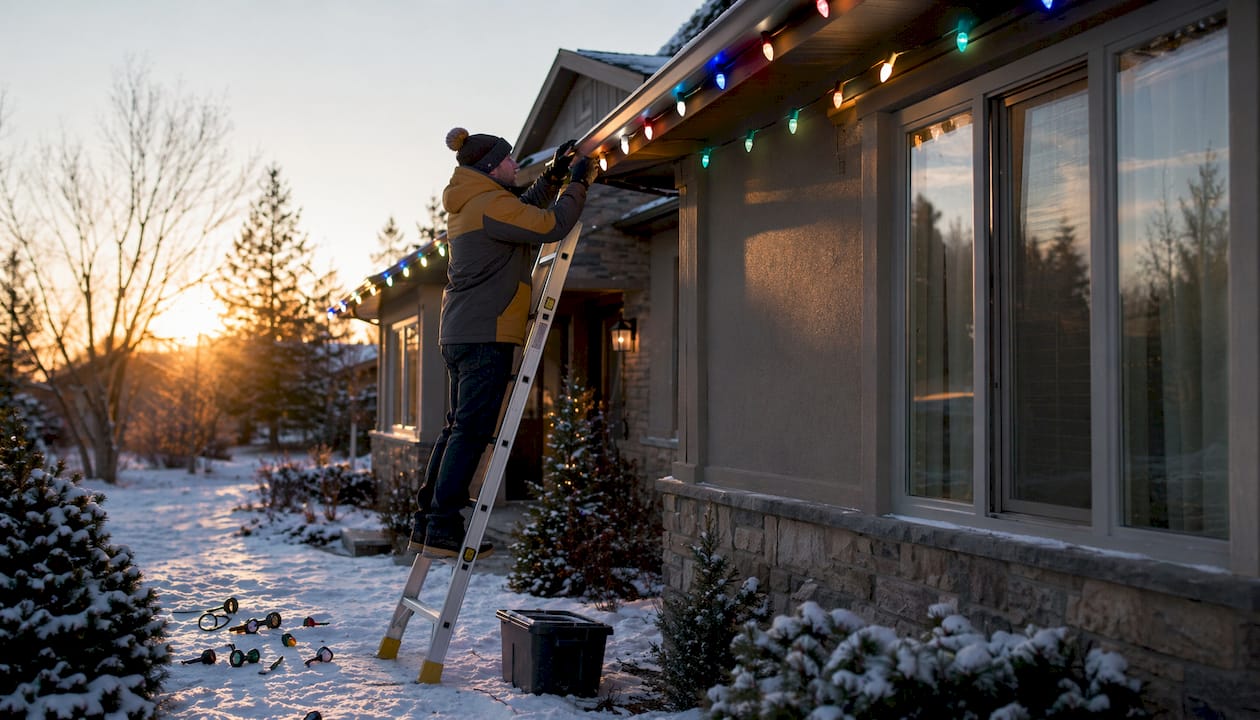
LED C9 bulbs use E17 bases and work best for bold roofline outlines. Their faceted lenses scatter light in multiple directions, creating a sparkle effect that reads well from the street. Pixel nodes give you individual color control per bulb, which is the foundation of animated light shows.
Electrical safety gear and mounting hardware
| Item | Purpose | Key consideration |
|---|---|---|
| GFCI outlet | Prevents electrocution from moisture | Required for all outdoor outlets; costs $100–$200 per outlet to upgrade |
| UL-listed extension cords | Carries power safely outdoors | Must be rated for outdoor weather exposure |
| Plastic light clips | Attaches lights to gutters and shingles | Avoids nail holes and damage |
| Drip loops | Keeps water out of sockets | Cord bends downward before entering outlet |
| Smart plug or timer | Automates on/off scheduling | Costs $10–$40 and reduces fire risk |
Pro Tip: Only use products marked UL-listed or with an outdoor weatherproof rating. Indoor-rated cords and lights fail quickly in rain and snow, and they create real shock hazards.
How do you plan and design your holiday exterior lighting layout?
Planning your layout before you buy a single bulb saves you money, time, and frustration. A well-designed seasonal home lighting plan accounts for your home’s architecture, your chosen theme, and how the display will animate.
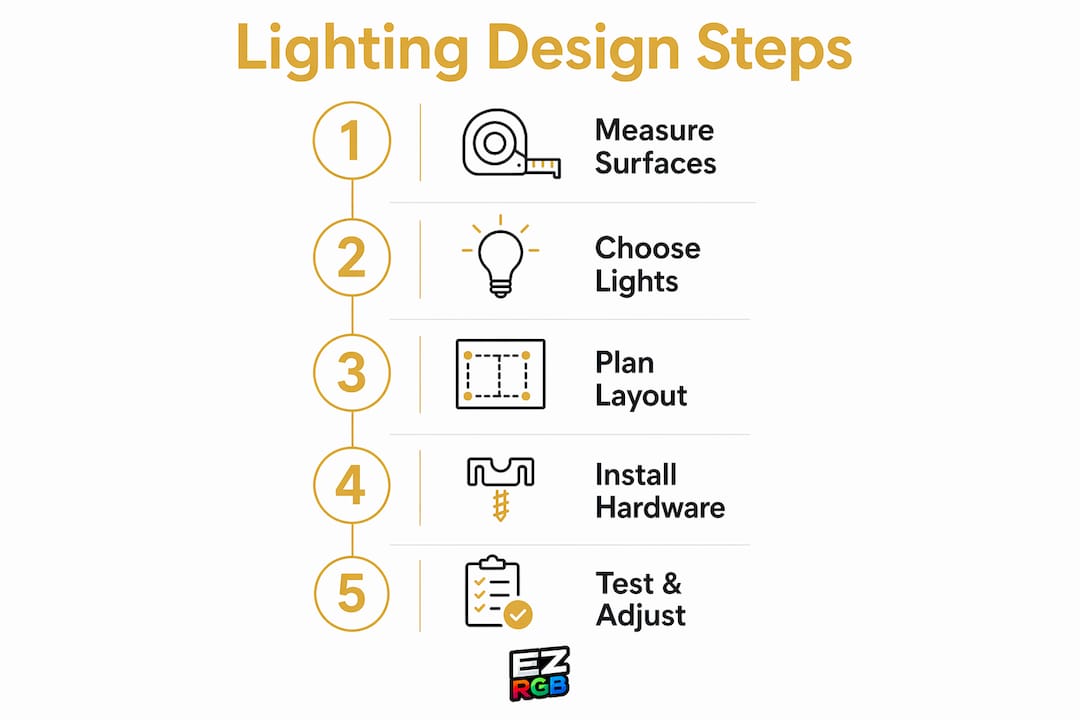
Plan Your Holiday Light Show Before Installation
Start by measuring every surface you want to decorate. Walk your property with a tape measure and record the length of your roofline, windows, doorways, and landscaping features. Even easier, upload a photo of your home into the EZRGB Designer and enter the front door dimensions. The platform scales your home and helps determine the materials needed for your display.
Next, choose a color scheme or theme. A two-color palette, such as warm white and red, creates a clean, elegant appearance, while animated RGB lighting lets you instantly switch to millions of colors for different holidays throughout the year.
For animated Christmas light displays, think about your display zones before installing anything. Group your roofline, windows, trees, shrubs, and pathways into separate areas. Professionally programmed EZRGB sequences use these zones to create movement, rhythm, and visual balance throughout your show.
-
Upload a photo into the EZRGB Designer to preview your display before installation.
-
Measure your door, window, or garage door, then enter it in the designer.
-
EZRGB does the work of programming, just select the songs and style you like.
-
Group decorations into lighting zones for balanced animations.
-
Position your controller near a GFCI outlet with easy access to every lighting zone.
EZRGB Tip: A well-designed two-minute animated Christmas light show with professional sequencing will always make a bigger impression than a longer show filled with random effects.
How Do You Install Animated Holiday Lighting?
Safe installation follows a clear sequence. Skipping important electrical steps can lead to tripped breakers, damaged equipment, and safety hazards.
-
Inspect every pixel string, extension cable, and controller before installation.
-
Verify every outdoor outlet is protected by a GFCI.
-
Create drip loops anywhere cables connect to keep water away from electrical connections.
-
Secure lights using clips designed for your roofline rather than nails or staples.
-
Mount your EZRGB controller in a weather-resistant enclosure near your power source.
-
Connect your decorations and verify each lighting zone operates correctly.
-
Log into EZPlayer and allow it to synchronize your professionally programmed Christmas light sequences automatically.
-
Run your entire holiday light show during daylight hours to confirm every prop, controller, and sequence is working before opening night.
Unlike traditional setups that require manually copying sequence and audio files, EZPlayer automatically synchronizes your purchased sequences, music, and playlists from your EZRGB account, making setup significantly faster and reducing opportunities for mistakes.
What the EZRGB Team Has Learned from Designing Holiday Light Shows
One of the biggest mistakes we see is homeowners spending all of their time selecting hardware before they’ve planned their display. The best animated Christmas light displays start with a thoughtful design. Using the EZRGB Designer, you can preview your home, experiment with decorations, and receive an accurate material list before purchasing anything.
Another common mistake is trying to do everything at once. Start with a roofline, a few focal-point decorations, and professionally programmed EZRGB sequences. As your confidence grows, you can easily expand your display by adding new props and sequences without rebuilding your entire show.
We’ve also learned that great animation isn’t about using the most effects—it’s about using the right effects. Professionally programmed sequences combine chases, twinkles, fades, morphs, and color transitions to complement the music rather than compete with it. That balance is what gives a display a polished, commercial-quality appearance.
Finally, never overlook installation quality. Secure wiring, proper GFCI protection, weatherproof connections, and organized cable management are just as important as the animations themselves. Combined with EZPlayer’s automatic synchronization and cloud-based updates, they help ensure your holiday light show performs reliably season after season.
— EZRGB Team
How EZRGB makes animated holiday lighting accessible for every home
Getting a full animated light show running used to require technical expertise and hours of custom programming. EZRGB changes that by giving you a platform where you upload a photo of your home, drag and drop lighting props, and sync everything to a music track you already love.
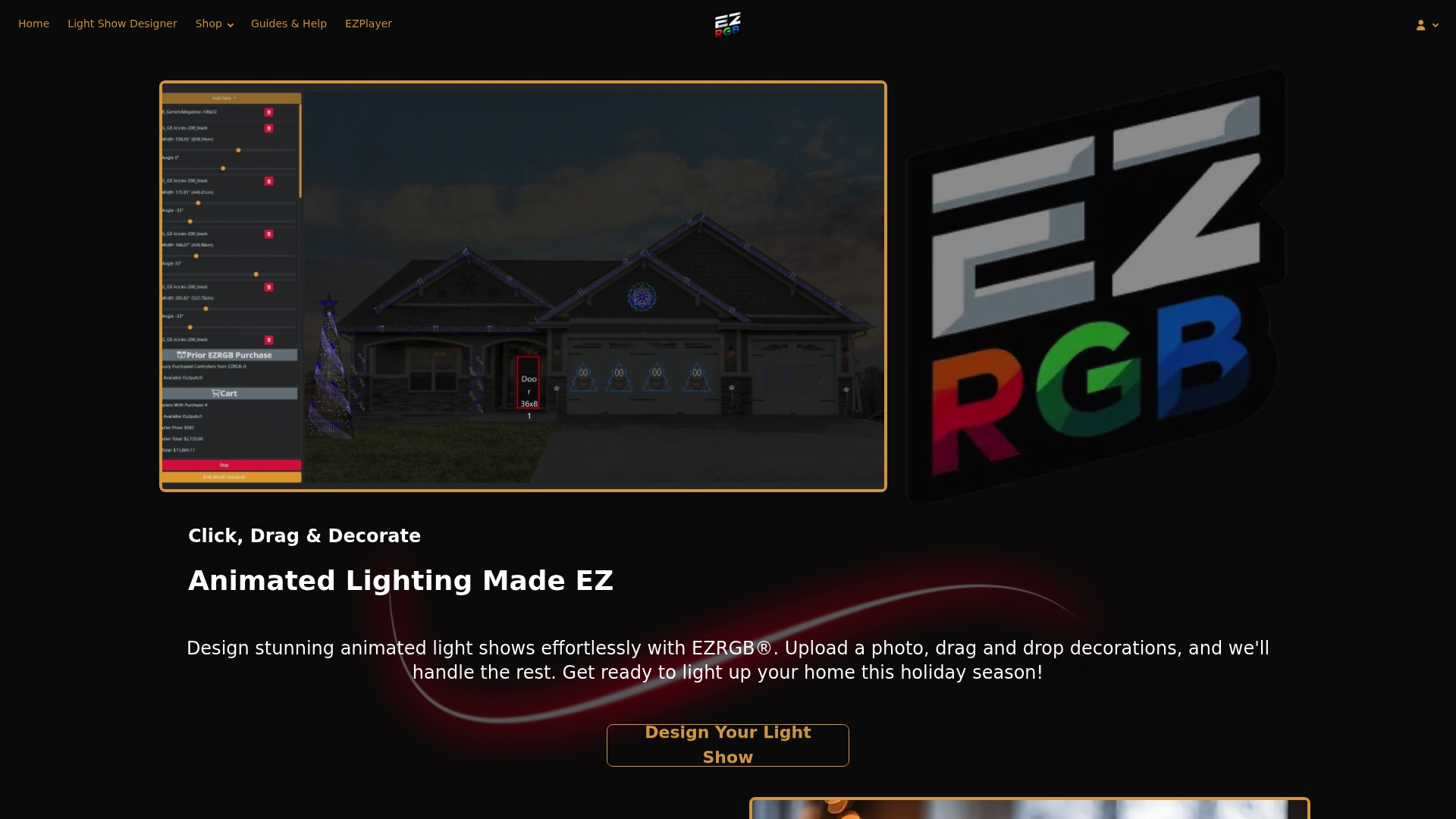
The Christmas Light Show Kit 1 includes everything you need to get your first animated display running, with preinstalled pixel props and controller hardware ready to go. For roofline outlines, the Roofline Special delivers vibrant, weatherproof coverage that holds up through a full winter season. EZRGB’s guides and help resources walk you through every step, from layout planning to final testing, so you are never left guessing. Visit EZRGB to find the right kit for your home and start building a display your neighborhood will remember.
FAQ
What is the safest way to power outdoor holiday lights?
Plug all outdoor lights into GFCI-protected outlets and use only UL-listed extension cords rated for outdoor use. Add a smart plug or timer to shut lights off automatically and reduce fire risk.
What causes outdoor lights to trip a GFCI outlet?
Water ingress at connection points is the most common cause of GFCI trips in outdoor holiday lighting. Installing drip loops and capping unused sockets eliminates most of these failures.
Do I need special software to animate my holiday lights?
When using EZRGB, you won’t need any additional software to create a stunning, perfectly synchronized light show. Everything is designed to work seamlessly together, eliminating the need for external sequencing tools like xLights. EZRGB provides professionally programmed Christmas light sequences that are ready to go, so you can skip the complex setup and timing track creation entirely. Simply use EZPlayer to run your sequences and enjoy a polished, fully synchronized animated holiday light display without the hassle of learning or managing multiple programs.
How do I keep my lights working all season long?
Apply dielectric grease to pigtails at installation and check drip loops after every storm. Store lights loosely coiled in labeled bins at season’s end to prevent damage for next year.