
Top Light Show Software 2026
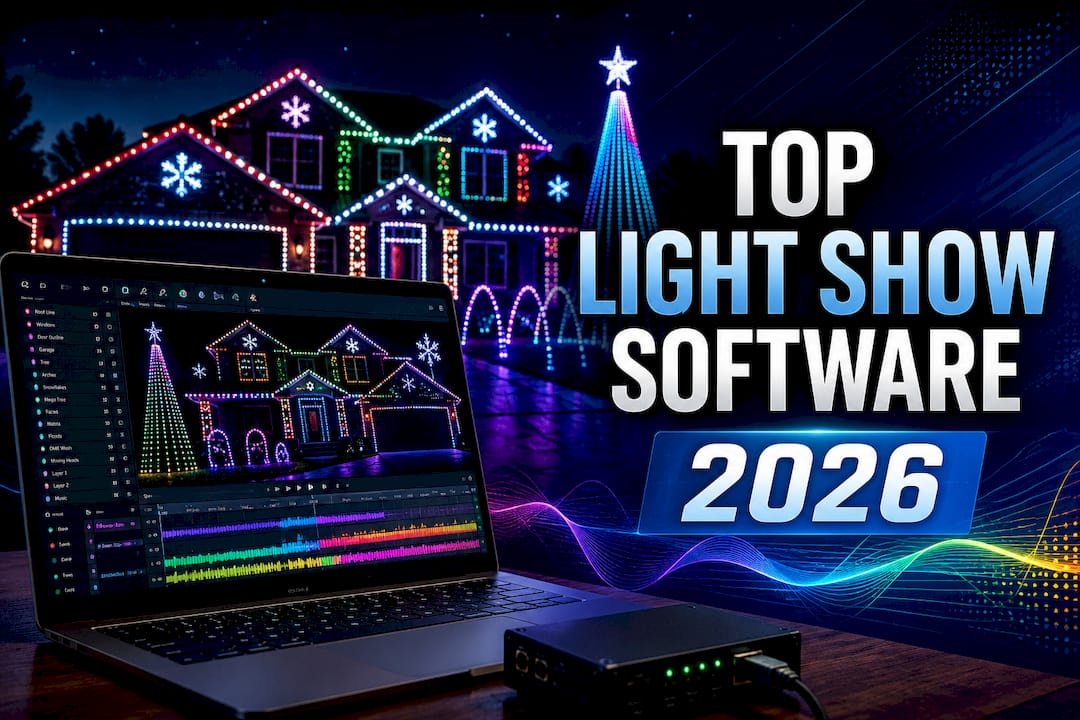
Finding animated holiday lighting software that is easy to set up and flexible for events costs time and technical effort. Most platforms require manual controller setup, sequence imports, or lock advanced features behind technical skills. This comparison lets homeowners and event organizers choose software that matches their skill level and setup needs without trial-and-error or wasted hardware.
Table of Contents
EZRGB
At a Glance
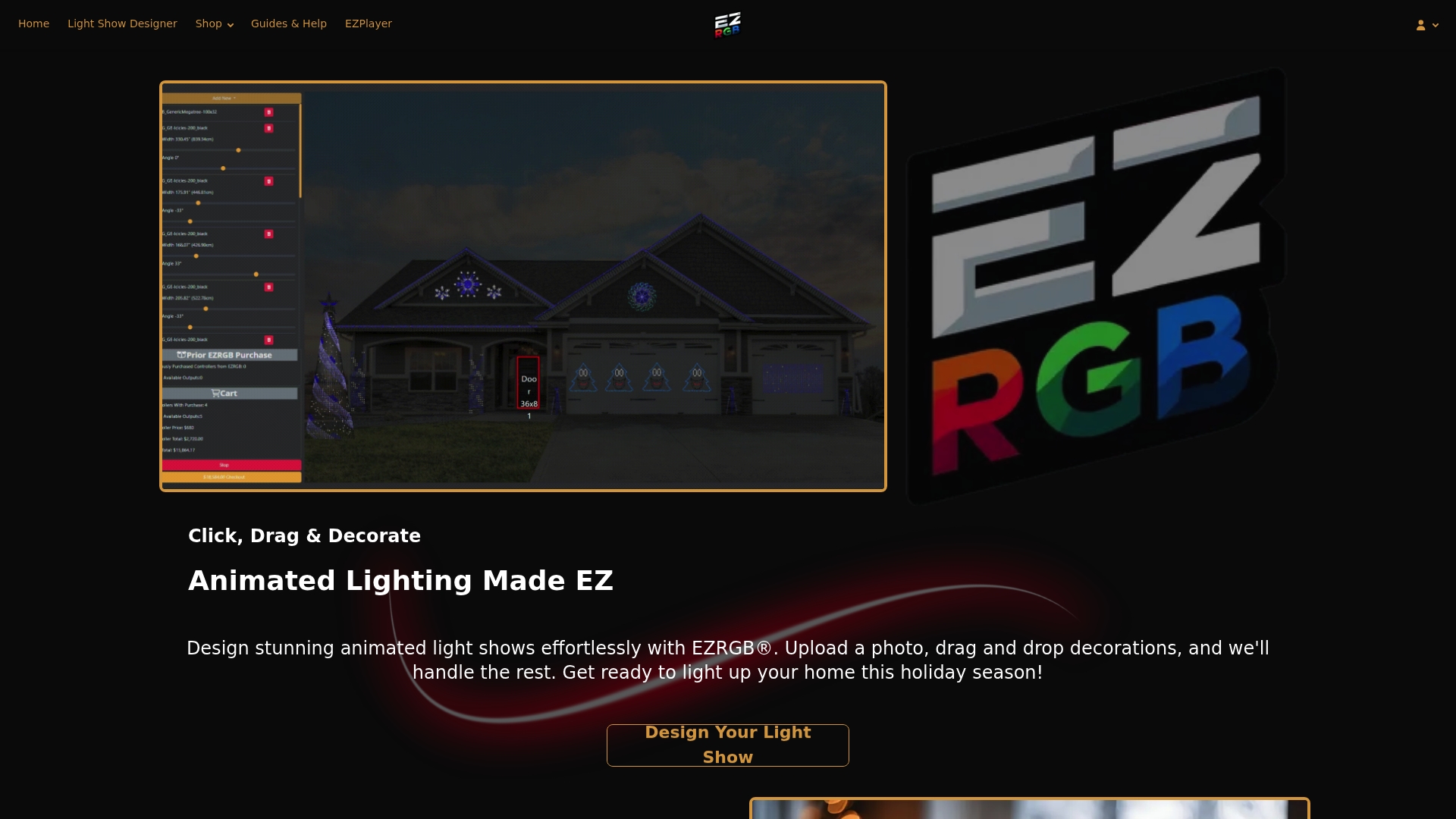
Kits start at about $999 for a basic plug-and-play package. EZRGB combines hardware and an online editor so you can upload a photo of your home, drag decorations onto the photo, and sync the whole display to a chosen music track without technical setup. The platform targets seasonal decorators who want fast results and visible impact.
Core Features
The platform centers on a drag-and-drop designer that runs in your browser and turns a home photo into a placement map for pixels and props. Kits arrive as plug-and-play hardware kits with controllers and extensions and include preinstalled pixel props so you can run sequences out of the box. The system also supports synchronized music sequences and an online hub for updates, expansion, and managing multiple displays over the year.
Key Differentiator
EZRGB ships kits with preinstalled pixel props and ties those props directly into its web management console. That pairing reduces setup steps because you do less wiring and file handling. For homeowners who want animated shows without steep learning curves, this workflow replaces manual sequence imports and complex controller configuration.
Pros
The setup path requires no technical skills. You upload a house photo, position preinstalled props, pick or upload a song, and the platform generates synchronized sequences automatically. Kits scale up; you can add extensions and more props over time rather than buying a large system up front. Support and warranty coverage are offered with purchases so homeowners can get hands-on help when a controller or prop needs attention. The online management model simplifies seasonal changes because you keep one project and swap sequences for holidays and events.
Cons
- Limited advanced customization for experienced decorators who want full manual control over sequences and hardware.
Who It’s For
EZRGB fits beginners, hobbyists, and small event organizers who want a fast way to produce synchronized decorative lighting. Choose this if you prefer visual editing over code and if you plan to expand displays gradually. It is less suitable for technicians building highly customized or permanent architectural lighting systems.
Unique Value Proposition
Preinstalled props combined with an online management interface let you deploy a complete animated show faster than configuring pixel strands from scratch. That approach reduces the time between unboxing and the first synchronized performance. For homeowners who value a visual editor and plug-and-play hardware, this method cuts setup complexity and shortens the learning curve.
Real World Use Case
A family buys a starter kit, uploads a front-porch photo, and drags props onto the roofline and bushes. They upload a holiday song and launch the synchronized sequence from the website the same evening. Over three years they add extensions and new holiday sequences while maintaining a single project in the online console.
Pricing
Pricing varies by kit and starts at about $999 for basic packages and rises to over $1,500 for premium bundles that include extra props and controller capacity. Individual component pricing and bundle contents are listed on the vendor site and depend on the chosen package and optional extensions.
Website: https://ezrgb.com
xLights

At a Glance
xLights is a free, open-source sequencing application used by thousands of hobbyists and professional decorators to create synchronized animated lighting displays. Rather than selling hardware, xLights provides the software needed to design layouts, sequence music, configure controllers, and play back shows. It supports a wide variety of pixel controllers, props, and lighting protocols, making it one of the most flexible platforms available for DIY animated lighting.
Core Features
xLights includes a powerful visual layout editor that lets users build a virtual model of their display using custom props, matrices, mega trees, arches, singing faces, and more. The software features hundreds of built-in lighting effects, advanced layering tools, timing tracks, lyric synchronization, video mapping, and support for DMX lighting and moving heads. It also integrates with xSchedule for show playback and supports virtually all major pixel controller manufacturers through industry-standard protocols such as E1.31 (sACN), DDP, and Art-Net.
Key Differentiator
Unlike plug-and-play systems, xLights provides complete creative control over every aspect of an animated display. Users can customize every effect, timing mark, color palette, model, and controller configuration. Its extensive community support and compatibility with nearly every major hardware platform make it the industry standard for DIY animated Christmas lighting enthusiasts.
Pros
The software is completely free to download and use, with no licensing fees. It supports an enormous range of controllers, props, and lighting hardware from many different manufacturers. Advanced sequencing tools allow users to create highly customized shows with professional-quality effects. Frequent updates introduce new features and improvements, while a large online community provides tutorials, shared sequences, and technical support. Because the software is hardware-agnostic, users are free to build displays using components that best fit their budget and design goals.
Cons
-
Steeper learning curve than plug-and-play lighting systems.
-
Initial controller setup, networking, and model creation can be challenging for beginners.
-
Users are responsible for sourcing compatible hardware, wiring, power distribution, and configuration.
-
Creating custom sequences can require a significant time investment.
-
No official plug-and-play hardware ecosystem.
Who It’s For
xLights is ideal for hobbyists, DIY enthusiasts, professional sequencers, and commercial lighting designers who want maximum flexibility and creative control. It is best suited for users who enjoy learning the technical aspects of animated lighting or who require highly customized displays. While beginners can certainly learn xLights, those looking for an immediate plug-and-play experience may find it more demanding initially.
Unique Value Proposition
xLights combines professional-grade sequencing tools with complete hardware flexibility at no software cost. Users can design virtually any animated lighting display imaginable while remaining free to choose from dozens of compatible controllers, props, and pixel products. Its open-source development model ensures continuous improvements driven by one of the largest communities in the animated lighting hobby.
Real World Use Case
A homeowner wants to build a custom Christmas display featuring roof outlines, mega trees, singing faces, matrices, pixel poles, and moving heads. Using xLights, they design their virtual layout, configure multiple controllers from different manufacturers, create synchronized sequences to their favorite music, and schedule nightly shows using xSchedule. Each year they expand their display by adding new props while continuing to use the same software and existing sequences.
Pricing
xLights is completely free to download and use. There are no subscription fees or licensing costs. Users purchase their own compatible controllers, pixel lights, props, and accessories separately from their preferred hardware vendors, allowing projects to range from a few hundred dollars for a basic display to many thousands of dollars for large residential or commercial installations.
Website: https://xlights.org
Vixen
At a Glance
Vixen Lights is a free, open-source lighting automation and sequencing software designed primarily for DIY animated lighting enthusiasts. It enables users to create synchronized light shows using a wide range of controllers, pixels, and traditional lighting hardware. Vixen focuses on giving users powerful sequencing capabilities while remaining accessible to hobbyists building their own displays.
Core Features
Vixen provides a visual sequencing environment with drag-and-drop effects, timeline-based editing, music synchronization, and a configurable preview of your display. Users can build custom lighting elements, configure controllers, apply layering and color effects, create lip-sync animations, and export sequences to compatible show players such as Falcon Pi Player. The software supports DMX, E1.31 (sACN), Art-Net, Renard, and numerous other lighting protocols through its hardware integration.
Key Differentiator
Vixen emphasizes ease of sequencing while maintaining extensive support for DIY hardware. Its configurable display setup and effect-driven workflow make it approachable for users transitioning from traditional animated lighting into RGB pixels without locking them into a specific hardware ecosystem. As an open-source project, it continues to evolve through community contributions.
Pros
The software is completely free with no licensing or subscription costs. Its timeline-based interface makes it relatively approachable for new users while still offering advanced sequencing capabilities. Vixen supports a broad range of controllers and lighting protocols, allowing users to choose hardware from many different manufacturers. Built-in effects, layering, lip-sync features, and a configurable preview provide flexibility for creating polished synchronized shows. The active community offers tutorials, documentation, and ongoing development through open-source contributions.
Cons
-
Smaller user community than some other major sequencing platforms.
-
Fewer advanced sequencing tools and effects compared to some competing software.
-
Display configuration and controller setup still require technical knowledge.
-
Does not include a plug-and-play hardware ecosystem.
-
Large, highly complex pixel displays may require additional planning and optimization.
Who It’s For
Vixen is well suited for DIY decorators, hobbyists, and users who want professional-looking synchronized light shows without paying for sequencing software. It is a strong choice for those building their own controllers and displays while preferring an interface that emphasizes visual effects and straightforward sequencing. Users seeking an integrated hardware and software solution may prefer a commercial platform instead.
Unique Value Proposition
Vixen combines free, open-source sequencing software with broad hardware compatibility and an approachable effect-based workflow. It allows users to build custom animated displays using their preferred controllers and lighting equipment without software licensing costs, making it an attractive option for budget-conscious DIY decorators.
Real World Use Case
A homeowner builds a Christmas display using RGB pixel strings, arches, and a mega tree connected to an E1.31 controller. They create a virtual layout inside Vixen, synchronize lighting effects to their favorite holiday music, preview the show before installation, and export the finished sequences to a show player for nightly playback. As their display grows each year, they continue adding new props and effects while using the same free software platform.
Pricing
Vixen Lights is completely free to download and use. There are no software licensing fees or subscriptions. Users purchase compatible controllers, pixels, props, and other hardware separately, allowing displays to scale from small beginner projects to large, custom animated installations.
Website: https://www.vixenlights.com
Comparison of Alternatives
EZRGB, xLights, and Vixen each serve the animated lighting community but are designed for different types of users. EZRGB focuses on making synchronized displays accessible through plug-and-play hardware and cloud-based tools. xLights offers the most extensive sequencing capabilities and hardware flexibility for advanced users, while Vixen provides a balance between ease of use and DIY customization.
Setup and Workflow Efficiency
EZRGB delivers the fastest path from purchase to a working light show. Users upload a photo of their home, place decorations using a drag-and-drop designer, and deploy synchronized sequences without configuring controllers, networking, or display models. The platform handles much of the technical complexity behind the scenes.
xLights requires users to build a virtual layout, configure controllers, map props, and manage networking before sequencing begins. While this provides tremendous flexibility, it also introduces a significantly steeper learning curve.
Vixen offers a simpler workflow than xLights for many users, with an intuitive sequencing interface and visual configuration tools. However, users are still responsible for selecting compatible hardware, configuring controllers, and building their display layouts manually.
Customization Capabilities
xLights provides the highest level of customization among the three platforms. Users have complete control over layouts, effects, timing, controller configuration, custom models, DMX devices, moving heads, shaders, and advanced sequencing techniques. It is well suited for users building highly personalized displays.
Vixen also offers extensive customization through its effect-based sequencing engine and broad hardware compatibility. While it includes many advanced features, it generally offers fewer specialized effects and sequencing tools than xLights.
EZRGB intentionally limits technical complexity in favor of automation. Most design, mapping, and synchronization tasks are simplified, allowing users to focus on creating displays rather than configuring hardware. While experienced users may prefer greater manual control, the streamlined workflow is a significant advantage for beginners.
Best Fit
-
EZRGB supports homeowners, first-time decorators, and installers who want a fast, plug-and-play solution with minimal technical setup and cloud-based management.
-
xLights is ideal for experienced hobbyists, professional sequencers, and enthusiasts who want complete creative freedom, extensive hardware compatibility, and advanced sequencing capabilities.
-
Vixen is a strong choice for DIY decorators who want free sequencing software with a user-friendly interface while maintaining the flexibility to build and customize their own hardware-based displays.
Our Pick
EZRGB is the strongest choice for users who prioritize simplicity, speed, and an integrated experience. Its combination of plug-and-play hardware, online design tools, automatic synchronization, and cloud management dramatically reduces the learning curve while still allowing users to build impressive animated displays.
For users who enjoy the technical side of animated lighting and want complete control over every aspect of their display, xLights remains the most capable and feature-rich sequencing platform available.
Vixen offers an excellent middle ground for DIY users who want free, open-source sequencing software with a more approachable workflow than xLights while still retaining broad hardware compatibility.
When selecting an animated lighting platform, the right choice depends largely on your goals: EZRGB emphasizes ease of use and rapid deployment, xLights delivers unmatched customization and flexibility, and Vixen provides a capable, community-driven solution for DIY enthusiasts seeking a balance between the two.
When comparing platforms for animated holiday lighting, evaluating user-friendliness and customization options is crucial.
| Product | Core feature | Key differentiator | Best for | Pricing | Notable limitation |
|---|---|---|---|---|---|
| EZRGB | Plug-and-play lighting kits with music sync | Preinstalled props tied into online management | Beginners to hobbyists | Free designer & player | Limited customization for user effects |
| xLights | Open source software for complete custom lighting | Community-driven open standards for customization | hobbyists needing flexibility | Free | Steep learning curve; may require advanced expertise |
| Vixen | Open-source lighting automation and sequencing software | Vixen emphasizes ease of sequencing while maintaining extensive support for DIY hardware | hobbyists needing flexibility | Free | Technical knowledge required, smaller community |
What Challenges Do Seasonal Decorators Face When Choosing Light Show Software?
One of the biggest challenges for newcomers is deciding how much time they want to invest in learning lighting software. Every platform can produce impressive synchronized displays, but they differ significantly in setup complexity, customization, and overall workflow.
EZRGB is designed for users who want the quickest path from opening the box to running a synchronized show. Its cloud-based designer, plug-and-play hardware, and automatic mapping eliminate much of the technical work traditionally associated with animated lighting.
xLights offers the greatest flexibility and creative freedom, making it the preferred choice for many experienced hobbyists and professional sequencers. However, that flexibility comes with a steeper learning curve that includes configuring controllers, networking, display models, and sequencing techniques.
Vixen occupies the middle ground. It provides a user-friendly sequencing environment while still allowing users to build and configure their own hardware-based displays. It requires more manual setup than EZRGB but is generally considered easier for beginners to learn than xLights.
Ultimately, the right choice depends on your goals. If you want maximum customization and don’t mind learning the technical side of the hobby, xLights is difficult to beat. If you want free software with an approachable interface, Vixen is an excellent option. If your priority is getting an impressive synchronized display running as quickly as possible with minimal technical effort, EZRGB provides the most streamlined experience.
FAQ
Which light show software is best for beginners?
For most beginners, EZRGB offers the easiest learning curve thanks to its online drag-and-drop designer, automatic mapping, and plug-and-play hardware. Vixen is also beginner-friendly for users comfortable assembling their own hardware, while xLights is better suited for those willing to invest time learning advanced sequencing techniques.
What is the most powerful light show software?
xLights is widely regarded as the most feature-rich animated lighting software available. It supports extensive customization, advanced effects, DMX lighting, moving heads, custom models, and compatibility with nearly every major pixel controller.
Is Vixen easier to learn than xLights?
Generally, yes. Vixen’s interface is often considered more approachable for new users while still providing powerful sequencing tools. However, users are still responsible for configuring controllers, networking, and hardware, which requires some technical knowledge.
Does EZRGB work with DIY pixel controllers?
EZRGB is designed as an integrated ecosystem with its own plug-and-play hardware and cloud-based management platform. Users looking to mix and match controllers from numerous manufacturers may find xLights or Vixen better suited to fully custom DIY installations.
Which platform offers the most hardware compatibility?
Both xLights and Vixen support a wide variety of controllers and industry-standard lighting protocols, allowing users to choose hardware from many manufacturers. EZRGB instead focuses on providing a fully integrated hardware and software experience that minimizes setup complexity.
Which software is best for expanding a display over time?
All three platforms support expanding a display, but they do so differently. EZRGB makes expansion straightforward by adding compatible props within its ecosystem. xLights offers virtually unlimited expansion possibilities with compatible hardware from many vendors, while Vixen also scales well for DIY users who enjoy building and configuring their own systems.