Best Halloween Light Show Songs: Plan Your 2027 Playlist

The best Halloween light show songs are the ones your neighbors already recognize, with a clear beat and distinct sections that lights can follow. Classics like “Monster Mash,” “This Is Halloween” and “Spooky Scary Skeletons” are strong starting points. Halloween 2026 has just ended, so this is a useful time to plan next year’s show, while you remember what worked and what didn’t.
The song ideas below are suggestions, not a list of what EZRGB currently sells. Availability changes, so confirm any title on the sequence listing before you build around it.
What makes a song work in a light show
A good light show song gives the lights something to do. Look for a steady rhythm, a recognizable hook, and a few changes in energy: a quiet verse, a loud chorus, a break. Those shifts let you move from slow glows to full-yard bursts.
Listen for differences between verses, choruses and breaks, then preview the available sequence to see how those moments appear in the lights. A song title alone does not tell you what the sequence will do with your display. For singing characters, check that the sequence and your selected props support the effect you want before building the whole scene around it.
Song ideas for families and younger trick-or-treaters
For a playful display, consider the following listening shortlist. These are editorial suggestions, not age ratings or a promise of EZRGB sequence availability. Listen to the complete recording and watch the sequence preview before deciding what suits your audience.
-
“Monster Mash”: consider this for a classic monster-party theme. EZRGB has a Bobby Pickett: Monster Mash sequence listing with a preview and a separate song-purchase link.
-
“Spooky Scary Skeletons”: consider it for a playful skeleton theme. Check the specific recording, since an original and a remix need not match the same sequence.
-
“Ghostbusters”: consider it for a ghost-themed yard and a chorus-centered playlist moment. Confirm that the sequence you want is available before buying the music.
-
“The Addams Family”: consider it when you want a theatrical, character-led mood. Check the arrangement and preview rather than assuming every version is interchangeable.
A song you remember as child-friendly can still have an intense introduction or a startling sequence. Judge the combined music and visual presentation, not just the title. For layout ideas, see themed holiday lighting setups for families.
Darker and more dramatic picks
For a more theatrical mood, add “This Is Halloween” to your listening shortlist. For heavier music, you might consider “Enter Sandman,” “Dragula” or “Hells Bells.” These are mood suggestions; this article does not confirm that EZRGB sells sequences for them.
Review lyrics, volume and the actual visual effects before choosing an intense track. A darker song does not have to mean a louder show. If young children will be visiting, choose a presentation that fits that audience, or leave a track out when it feels too intense.

Sequence and audio are two different things
This is the part many first-time builders miss. A light show sequence is the timed set of instructions that tells your lights what to do. The matching audio is a separate file. On EZRGB, sequences, audio and kits are purchased separately from one another. Our guide to what a holiday light show sequence is explains the difference in more detail.
A few rules keep you out of trouble:
-
Check the exact recording. A sequence is timed to one specific version of a song. A live cut, a remaster or a radio edit can differ in length and timing.
-
Don’t trim audio to fit. Cutting audio alone breaks the timing between music and lights.
-
Don’t assume any song will work. A sequence exists for a given recording, or it doesn’t. We can’t guarantee that an arbitrary track will sync.
-
Don’t plan around streaming a random song. Our article on what works with EZPlayer covers this in detail.
One verified starting point is Bobby Pickett: Monster Mash (Pixel Pro Displays). Its listing provides a sequence preview and a separate “Purchase Song Here” link. Check that link and the listing details for the matching recording. Browse the EZRGB sequence catalog for other current options; a title suggested above is not a guarantee of catalog availability for Halloween 2027.
Pace the playlist and do the math
A show is a playlist, so count the minutes. Four 3-minute songs make a 12-minute show. Six 3:16 songs would run just under 20 minutes. There is no universal number of songs or loop length that suits every yard. It depends on your street, your neighbors and how long you want people to stand around.
You can start with a small playlist and expand after testing it. Include any introductions, pauses or closing material when calculating the complete experience. A list of song titles is not enough to predict how long visitors will stay.
A simple pacing pattern:
-
Open with a recognizable family song to pull people in.
-
Put a slower or eerie piece in the middle so the lights can use dimmer effects.
-
Place your most energetic selection near the end.
-
Close with something light so younger viewers leave smiling.
Add up the actual durations of your exact recordings before you schedule them. Then check how many minutes you want between loops.
Plan the display before you buy
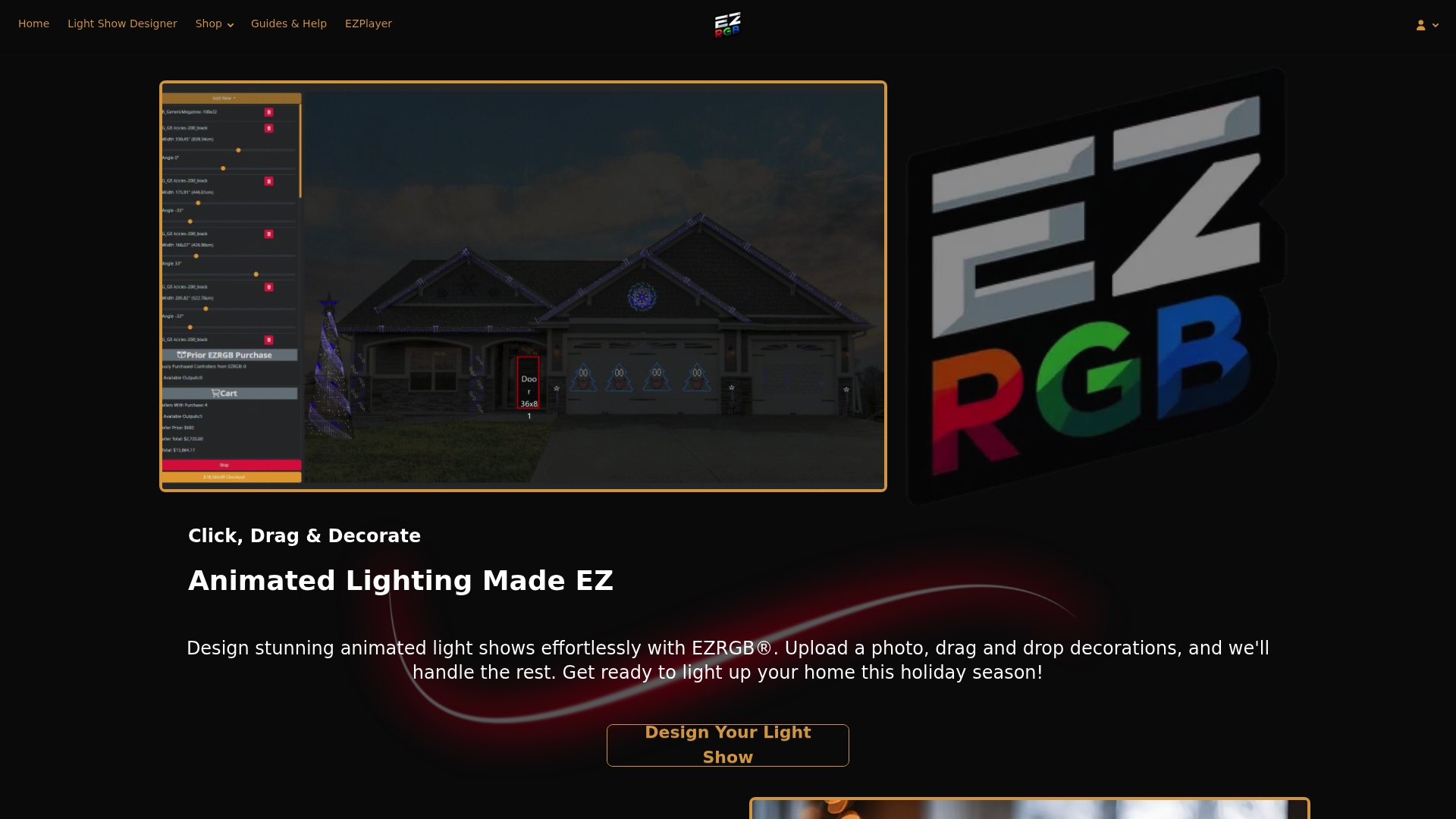
Songs are half the plan. The other half is what the lights are attached to. With EZRGB, you upload a photo of your home, then drag and drop decorations onto it. Draw a box around a door or window you have measured and enter its dimensions. The Designer scales the photo from that reference and estimates prop sizes and light counts for drawn rooflines, curves, doors and windows. It then determines the equipment you need, tracks free controller ports and flags when you need an additional controller.
Our layout-to-EZSequence-to-EZPlayer walkthrough shows the full flow. If you add props later, the player reprograms for them and guides your connections. For singing characters, our singing faces setup guide is a good next read.
A few practical points:
-
The EZRGB kit workflow requires the cloud. Installed EZPlayer handles syncing, downloading, configuration, playlists and schedules.
-
Wi-Fi is used for syncing, while all controllers connect by Ethernet.
-
Listed extension cords are included. Mounting hardware for your roof, fence or yard is not.
Test the complete playlist before show night
Preview each selected sequence, then test the playlist on your installed display. Check that the correct music is paired with each sequence, the transitions feel intentional, and the scheduled start and end times match what you intend to offer visitors.
Use EZPlayer’s playlists and schedules to organize playback. In the EZRGB kit workflow, cloud sync handles downloads and layout configuration. Selecting a song does not mean the player invents choreography for an arbitrary audio file; choose the supported sequence and its matching recording.
After Halloween, keep a short note of songs you liked and changes you want to make. You can add props in the Designer later. It tracks available controller ports and flags when another controller is needed; EZPlayer sync updates controller configuration and guides the connections. You do not have to rebuild a manual port chart to plan next season.
Ready to build next year’s show
If you would rather start with hardware that arrives ready to run, EZRGB kits include their listed equipment and extensions. Mounting is supplied separately because every house is different. Start with Plug and Play Kits, or add individual Plug and Play Props as your design grows.
Buy your sequences and matching audio separately, and check that the recording on each listing is the version you want.
Check music permissions before you go public
Do not assume that purchasing a sequence and an audio recording clears every possible use of the music. The U.S. Copyright Office explains that musical works and sound recordings are separate protected works, with different rights and licensing rules. Check permissions for your intended use, especially if you plan to share a recorded show online. Ask a qualified adviser when the answer is unclear.
Also check the rules that apply to your property and neighborhood, including any HOA requirements and local noise or display restrictions. Keep your volume and show hours considerate of neighbors. Music selection and visitor enjoyment should fit the location as well as your theme.
FAQ
What are the best Halloween songs for a light show?
Start with songs that have a clear beat and a hook people know: “Monster Mash,” “This Is Halloween,” “Spooky Scary Skeletons” and “Ghostbusters” are common choices. Darker options suit older audiences. These are ideas, so check each title’s sequence listing before you plan around it.
How many songs should a Halloween show have?
There is no universal number. Decide on the total show length first, then add actual song durations. Four 3-minute songs make 12 minutes, and six songs of about 3 minutes make roughly 18. Choose what suits your street.
Can I use any song with my EZRGB show?
No, we can’t guarantee that any song will work. A sequence is built for a specific recording, and audio is purchased separately from sequences and kits. Check the exact version on the listing, and don’t trim audio alone to fit.
Do I need Wi-Fi for my light show?
The EZRGB kit workflow requires the cloud, and installed EZPlayer uses Wi-Fi to sync, download and configure. All controllers connect through Ethernet. Once set up, you manage playlists and schedules through the website.