
What Is a Holiday Lighting Controller? A Clear Guide
A holiday lighting controller is an electronic device that regulates and automates your holiday lights, transforming simple decorations into dynamic, synchronized displays. The industry term for this category is “lighting controller” or “sequence controller,” and understanding the distinction matters before you buy. Standard AC controllers typically manage 16 channels, while advanced pixel controllers handle thousands of independent lights. That range means the right controller for a single roofline is very different from the one powering a full animated show. Whether you want a basic timer or a music-synced pixel display, knowing what each controller type does will save you time, money, and frustration.
What is a holiday lighting controller and how does it work?
A holiday lighting controller is the central logic and power hub of any festive light display. It manages voltage and current flowing to your lights while executing pre-programmed sequences that create effects like fades, chases, and strobes. Without a controller, your lights simply stay on or off. With one, they become a coordinated show.
Controllers operate by switching entire light circuits called channels. Each channel controls one group of lights as a single unit. A 16-channel AC controller, for example, can independently switch 16 separate strings or zones. That gives you enough flexibility to create wave effects across a roofline or alternate colors in a tree.
Pixel controllers work differently. Individual addressable LEDs require digital pixel controllers rather than standard channel-based units. Each pixel receives its own color and brightness instruction every fraction of a second. That is what makes smooth rainbow chases, music-reactive animations, and full-color text effects possible.
“Lighting controllers shift holiday displays from simple illumination to smart decorations tailored to moods and schedules, enhancing home atmosphere.”
The controller reads a sequence file, often called an FSEQ file in software like xLights, and sends timed commands to each channel or pixel. Think of it as a conductor following a musical score, except the musicians are your lights.
What types of holiday lighting controllers are there?
Controllers fall into three broad categories based on complexity and capability.
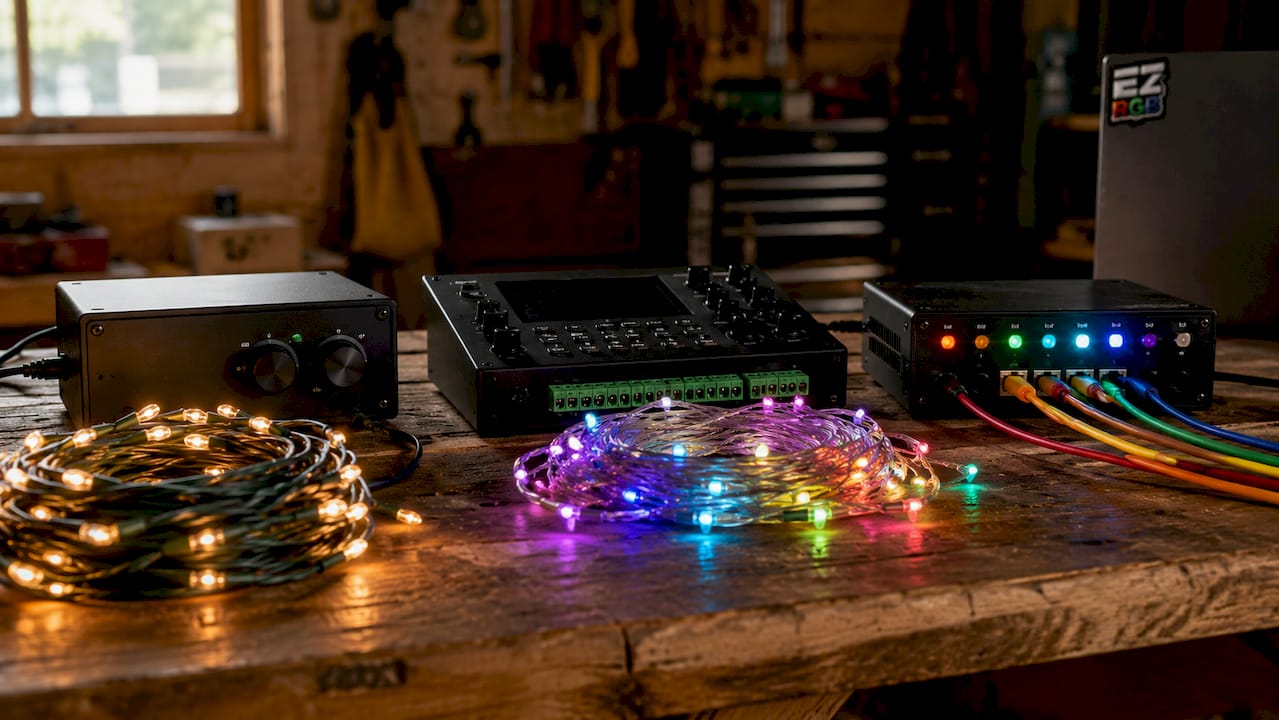
Basic AC dimmer controllers handle standard incandescent or LED string lights. They switch circuits on and off and can dim compatible bulbs. These are the most affordable entry point and work well for simple roofline or tree displays.
Multi-channel sequence controllers step up to 16 or more channels and connect to sequencing software on a computer. You program timed patterns, load them onto the controller, and the device runs the show independently. This category suits homeowners who want choreographed effects without pixel-level complexity.
Digital pixel controllers represent the most capable tier. They communicate with addressable RGB or RGBW LEDs using protocols like DMX or proprietary digital signals. Each bulb receives individual commands, enabling effects that channel-based units simply cannot produce.
| Controller type | Typical channel or pixel count | Best for |
|---|---|---|
| Basic AC dimmer | 1–8 circuits | Simple on/off or dim effects |
| Multi-channel sequence | 16–64 channels | Choreographed roofline and tree shows |
| Digital pixel | Thousands of pixels | Full-color animated and music-synced displays |
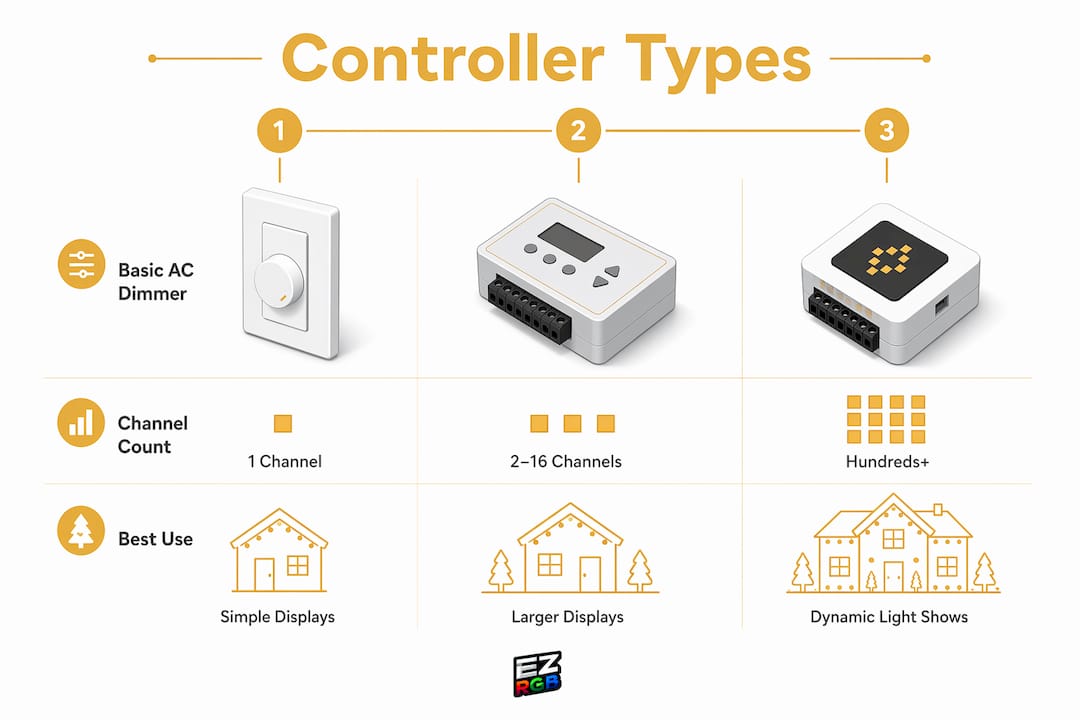
The table above shows how capability scales with complexity. Most homeowners start with a multi-channel unit and upgrade to pixel control once they want animated color effects.
Pro Tip: Before buying, count the number of separate light zones you want to control. If you have more zones than channels, you will need to combine strings or upgrade to a higher-channel unit.
How does a holiday lighting controller automate your display?
Automation is the core reason homeowners invest in a controller beyond a simple plug-in timer. Here is how the process works from setup to showtime:
- Map your display. Assign each light string or pixel segment to a channel or address in your sequencing software. Software like xLights lets you build a virtual layout of your home.
- Program your sequences. Draw timing patterns on a grid, or import a pre-built FSEQ file. Each row represents a channel; each column represents a time step.
- Set your schedule. Most controllers include a built-in Scheduler that turns the show on and off at set times. You define start and end times for each day of the week.
- Load and run. Transfer the sequence file to the controller via USB or network. The controller runs the show without a connected computer.
- Add music sync. Advanced controllers output an audio signal timed to the sequence, so lights flash in beat with the music playing through an FM transmitter or outdoor speaker.
Controllers adjust brightness, speed, and color temperature without rewiring. That means you can update your show for Christmas, New Year’s Eve, and Valentine’s Day without touching a single bulb. The flexibility is one of the strongest arguments for moving beyond a basic timer.
A holiday lighting schedule is simply the time-based ruleset stored in the controller. You can set different sequences for weeknights versus weekends, or run a low-brightness version after 10:00 PM to respect your neighbors.
What are the safety and installation best practices for controllers?
Safe installation starts with understanding your home’s electrical capacity. Most household circuits are rated at 15A or 20A. Installers recommend staying under 80% of circuit capacity, which means a 15A circuit should carry no more than 12A of load. Exceeding that threshold trips breakers and, in worst cases, creates fire risk.
Follow these steps to keep your setup safe:
- Calculate total wattage before you plug in. Add up the wattage ratings on every light string and controller you plan to use on one circuit.
- Split large displays across multiple circuits. Running two separate 15A circuits is safer and more reliable than overloading one. Check out this animated holiday display guide for roofline mapping and circuit-splitting advice.
- Test all lights before mounting. Replacing a faulty string after it is stapled to the roofline wastes hours. Test on the ground first.
- Use outdoor-rated extension cords and controllers. Indoor-rated equipment degrades quickly in cold and wet conditions.
- Plan power injection for pixel strings. Voltage drop causes color shifts and dimming at the far end of long pixel runs. Inject power every 50–100 pixels depending on wire gauge and voltage.
Pro Tip: Label each circuit and its connected zones on a simple diagram before you start. Troubleshooting a tripped breaker at midnight in december is much easier when you know exactly which strings are on which circuit.
Permanent holiday light installations reduce ladder work throughout the season, but they require more upfront planning around circuit capacity and weatherproofing. Temporary setups give you more flexibility but demand the same electrical discipline. The 80% load rule applies to both.
For large displays with multiple power supplies, consider linkable festoon-style distribution to manage load across zones without running individual extension cords from the house.
How can you enhance your display with a modern controller?
A modern controller turns a static decoration into a living part of your home’s exterior. The practical upgrades available to homeowners today go well beyond simple blinking.
- Programmable brightness control lets you run full intensity during peak evening hours and drop to 30% after 10:00 PM. Your display stays visible without disturbing the neighborhood.
- App-based interfaces on Wi-Fi-enabled controllers let you change sequences from your phone without going outside. Some units support voice control through home automation platforms.
- Music synchronization creates the most visually striking displays. The controller reads the beat and tempo of a track and maps light commands to the rhythm. EZRGB’s light show designer lets you upload a photo of your home, drag and drop pixel props, and sync them to music without writing a single line of code.
- Combining static and animated zones adds depth. Keep your pathway lights static while your roofline runs a color chase. The contrast makes both elements more noticeable.
- Seasonal reprogramming extends the value of your investment. The same pixel controller and addressable LEDs that run a Christmas show in december can display red, white, and blue patterns in july.
Professional holiday lighting services maintain displays throughout the season and handle troubleshooting, which is worth considering if your display is large or complex. For homeowners who prefer full control, a well-programmed controller with a reliable schedule handles most of that work automatically. The beginner-friendly lighting options guide from EZRGB walks through approachable setups for families new to automated displays.
Key Takeaways
A holiday lighting controller is the single most important component for turning basic string lights into a programmable, automated, and music-synced festive display.
| Point | Details |
|---|---|
| Controller types vary widely | Basic AC dimmers, multi-channel sequence units, and digital pixel controllers each serve different display goals. |
| Channels vs. pixels | Channel-based controllers switch whole circuits; pixel controllers address each LED individually for animated effects. |
| The 80% load rule | Keep circuit load under 80% of rated capacity to prevent breaker trips and fire risk. |
| Power injection matters | Inject power every 50–100 pixels on long pixel runs to prevent color shift and dimming at the far end. |
| Schedules add automation | A built-in Scheduler runs your show on set times daily, removing the need for manual switching. |
What we have learned from years of holiday lighting setups
The part most homeowners underestimate is not the controller itself. It is the planning that happens before the first light goes up.
We have seen beautifully designed displays fail on opening night because the homeowner ran every circuit off one 15A breaker. We have also seen simple 16-channel setups outperform elaborate pixel rigs because the sequences were thoughtfully programmed and the timing was tight. The hardware matters less than the preparation.
The other thing worth saying plainly: pixel control is not always better. For a modest front porch with two trees and a roofline, a 16-channel sequence controller delivers a polished result at a fraction of the cost and complexity of a full pixel setup. The role of lighting control systems in larger events illustrates this well. Professionals choose the right tool for the scale of the job, not the most powerful one available.
The trend we are most excited about is drag-and-drop show design. Tools that let you visualize your home, place props, and generate a ready-to-run sequence file remove the biggest barrier for most homeowners: the programming learning curve. That is exactly the gap EZRGB was built to close.
— EZRGB Team
Ready to build your own animated light show?
EZRGB makes it straightforward to go from curious homeowner to confident show designer. You upload a photo of your home, place pixel props on the image, pick your music, and receive plug-and-play hardware pre-programmed with your custom show.
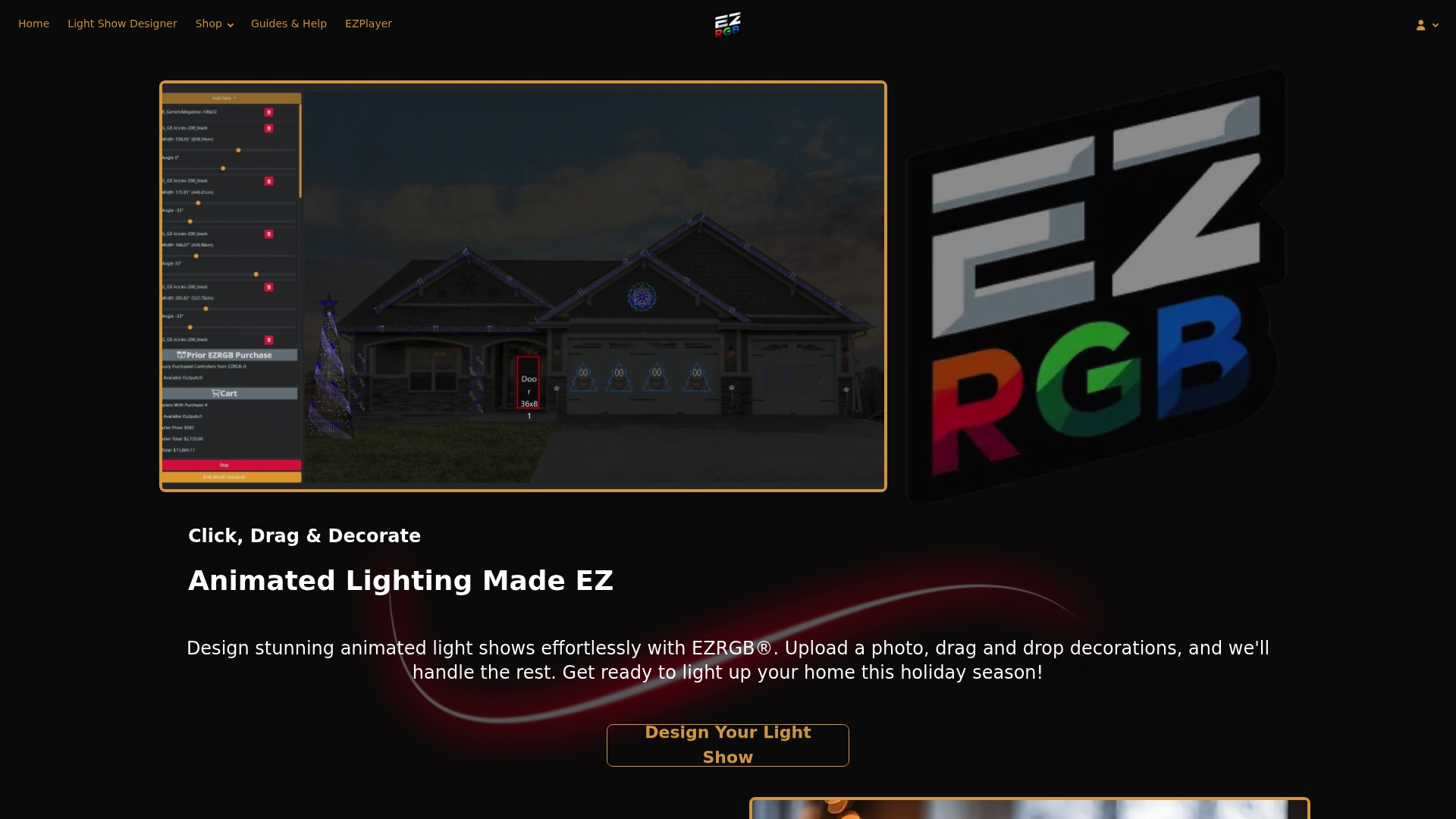
No sequencing software to learn. No wiring diagrams to decode. EZRGB’s holiday light show platform handles the technical side so you can focus on the creative side. Browse the full range of pixel display kits, from classic carol-synced shows to fully custom animated sequences, and find the setup that fits your home and your budget at EZRGB.com.
FAQ
What is a holiday lighting controller used for?
A holiday lighting controller automates and programs festive light displays by managing voltage, timing, and sequences across multiple light circuits or individual pixels. It replaces manual switching with scheduled, choreographed shows.
What is the difference between a channel controller and a pixel controller?
A channel controller switches entire light circuits as single units, while a pixel controller addresses each LED individually for color animation and music-reactive effects.
How does holiday lighting wattage affect controller choice?
Your total wattage load must stay within 80% of your circuit’s amperage rating. A 15A circuit safely handles about 12A, so calculate the combined wattage of all lights and the controller before connecting them.
What is a holiday lighting schedule?
A holiday lighting schedule is a time-based program stored in the controller that automatically turns your display on and off at set times each day, including different settings for weeknights and weekends.
Do I need technical skills to use a holiday lighting controller?
Basic AC and multi-channel controllers require minimal setup. Pixel controllers involve sequencing software, but platforms like EZRGB’s light show designer remove the coding requirement entirely with a visual drag-and-drop interface.