Christmas Light Show Teardown: A Step-by-Step Checklist

Taking down an EZRGB Christmas light show is mainly about caring for the physical equipment. After the final evening show has ended, choose a suitable daylight window, disconnect power, remove and inspect your props and cables, then store them according to their instructions. EZRGB keeps the setup simple when you return: load EZPlayer, let it sync the show and follow its guidance to connect your props.
When to take the show down
Choose a teardown date after your final show, within any applicable HOA or local deadlines. Check the rules that apply to your property and equipment rather than treating a general holiday date or a 90-day rule as universal permission.
Weather matters more than the calendar. Pick a dry, calm day, because wet cables and props are harder to handle and harder to store properly. A show that finishes around 9 p.m. will normally be over long before you begin teardown the next morning. You do not need to make stopping the player a separate teardown project.
The teardown checklist at a glance
-
Choose a safe daylight window after the final evening show.
-
Disconnect power following the equipment instructions.
-
Remove props and cables carefully.
-
Inspect equipment and set suspect items aside.
-
Dry and store items according to their product instructions.
-
Return to EZPlayer next season for syncing and connection guidance.
The sections below take each step in turn.
Step 1: Plan a daylight teardown
Once the season’s final show has finished, wait for daylight and safe weather before taking equipment down. There is usually no active show to stop the next morning. Focus on access, the condition of your mounting and how you will support each prop as you remove it.
Software playback and electrical power are different things. Even though the show has ended, disconnect power before handling connections or removing equipment, following the instructions for your kit.
Step 2: Shut down and disconnect the kit
Follow the shutdown and disconnection instructions that came with your kit. They are written for the specific controllers and cables in the box, and they are the right order of operations for your equipment.
Some general points apply to any display:
-
Power off at the source first, then start disconnecting.
-
Disconnect using the handling instructions for each plug or connector. Release any latch or coupling as directed rather than pulling on a cable.
-
Do not open energized equipment, and do not open controllers at all as part of teardown. If something looks wrong inside, stop and contact support.
-
Keep in mind how your system is connected. EZRGB kit setup requires the cloud, and EZPlayer’s Wi-Fi sync is separate from hardwired Ethernet controllers. Controllers are connected by cable, not wirelessly, so there is a physical Ethernet run to disconnect and coil.
Step 3: Remove equipment without rebuilding a layout record
You do not need a photo archive or a hand-drawn connection map to reconstruct your EZRGB show next year. EZPlayer tells you which prop goes where when you reconnect the display. Take photos if you want to share the finished show or keep memories of the season.
Optional labels on storage boxes can help you find items, but they are an organizational choice rather than a requirement for programming the show. Keep small mounting parts together and protect props as you release them from their supports.
Kits include their listed equipment and extensions. Mounting is separate because every house differs, so follow the instructions for the mounting you chose. Our guide to securing outdoor holiday props can help with planning.
Step 4: Remove and inspect as you go
Plan removal around safe access and the mounting instructions. Support props before releasing their fasteners; never use the cable to lower a prop. Avoid wet, icy or windy conditions. For elevated pieces beyond your equipment or experience, use qualified help.
Inspect pieces while disconnected. The CPSC holiday-light safety guidance identifies cracked sockets, loose connections and damaged insulation as warning signs. Do not return damaged equipment to service.
A quick inspection list:
-
Cracked or loose housings on props
-
Frayed, cut or pinched cable insulation
-
Bent or damaged connectors
-
Extension cords with damaged plugs or jackets
-
Anything that looks scorched or discolored
Set damaged items aside in a separate bin and mark them. Don’t repair energized equipment yourself. For anything that is part of an EZRGB kit, contact support and describe what you see.
What if a section stopped working during the season?
If a section failed during the season, record its label, symptoms and when the problem appeared. With power disconnected, look for visible cable or connector damage without opening the controller. Keep suspect items separate and ask EZRGB support what inspection or replacement is appropriate before reconnecting them.
When planning next season, follow equipment ratings and installation instructions. The CPSC recommends outdoor-rated lights and GFCI protection for outdoor use. A generic limit for traditional string-light sets does not establish an EZRGB controller, pixel or extension capacity.
Step 5: Dry and store everything
Follow each product’s storage, drying and cleaning instructions. If moisture may have entered a controller or connector, keep it disconnected and ask support what to do before reuse. Do not assume visible surface dryness means the inside is safe.
-
Choose suitable storage. Use a location within the equipment’s specified conditions, protected from moisture and accidental damage.
-
Protect cables and connectors. Avoid sharp bends, crushing and loads on connectors. Follow any supplied packing directions.
-
Keep parts together. Separate mounting pieces from delicate lights and identify the zone they belong to.
Pack by zone, not by type. One bin for the roofline, one for the yard, one for the porch, each holding props, cables and clips for that zone with a label on the outside and a card inside. When you open the bin next fall, everything for that part of the show is already together.
Step 6: Let EZRGB handle next season’s show setup
When you return next season, load EZPlayer, allow it to sync and follow its guidance while hooking up the show. It downloads the files needed and configures the controllers for your current design. Maintaining a local show folder is not a seasonal teardown task customers need to manage.
The EZRGB kit workflow uses the cloud to download files and sequences and configure the show. EZPlayer uses Wi-Fi for syncing; the controllers themselves connect through hardwired Ethernet. EZRGB does not use wireless controllers in this system.
Add props whenever inspiration strikes
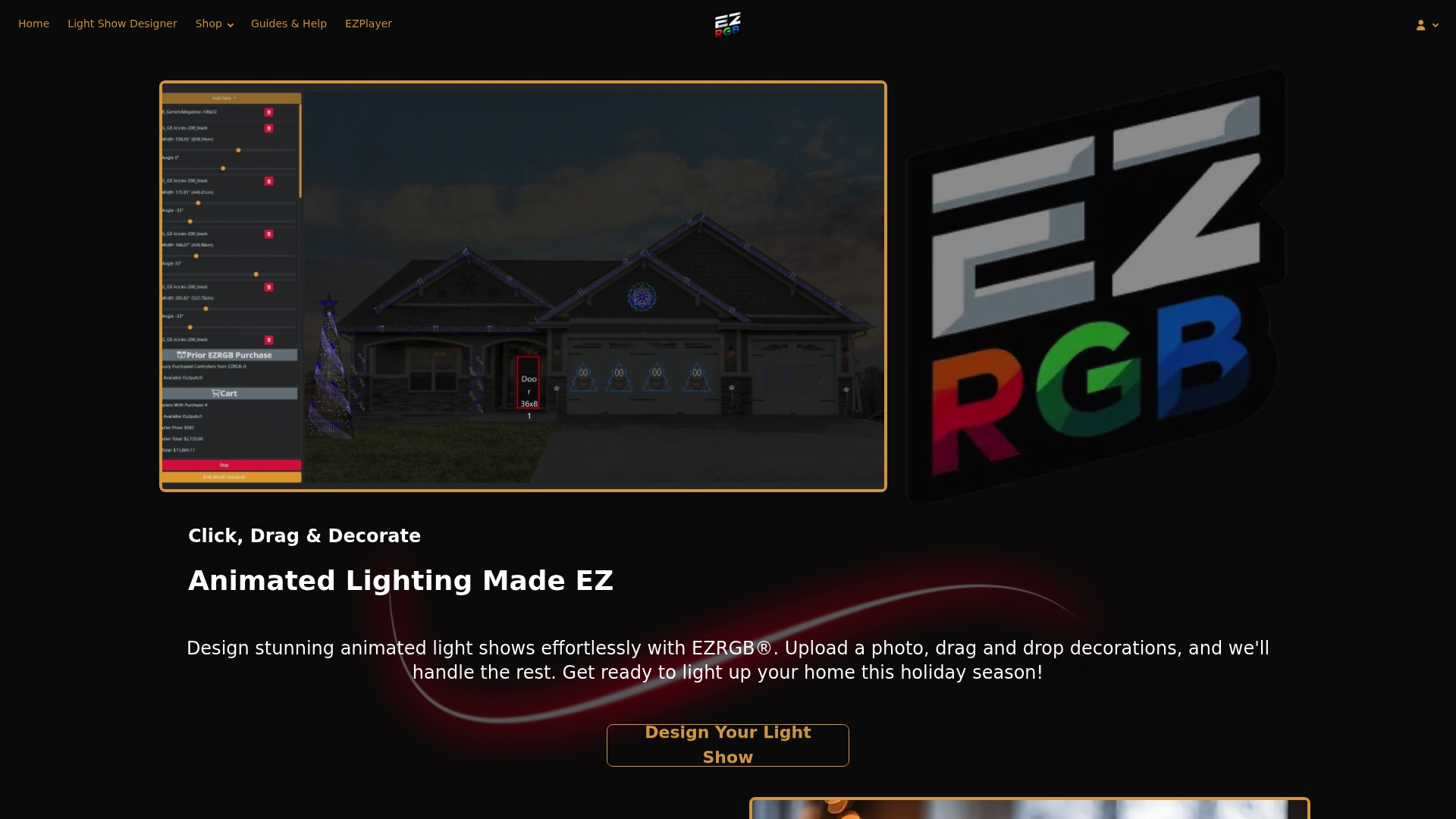
You do not have to wait until installation season to expand. Open the designer a month after taking the display down—or whenever you want—and add props or RGB lights. It knows how many controller ports are available and identifies when your additions require another controller. You do not have to work out that capacity by hand.
The designer scales an uploaded house photo using the dimensions you enter for a measured door or window. Its tools draw rooflines, curved lines, doors and windows, helping estimate light counts and prop sizes. EZRGB determines the equipment for that design. When you sync the updated show, EZPlayer reprograms the controllers to fit the added props.
Keep a short note of damaged items or changes you want if it helps, but you do not need to rebuild the show from photos, recreate its programming or manually match every prop to a controller. The designer and player handle those parts of the workflow.
Ready to rebuild or expand for next season?
If the inspection turned up damaged pieces, or you want to grow the display, start with our plug and play kits. Kits include their listed equipment and extensions. Mounting is excluded because every house differs. Review replacement needs with EZRGB support before buying equipment.
You can also add single plug and play props to fill a gap, or browse RGB sequences for a different lighting arrangement; music is purchased separately. When you’re ready to plan, our guide to animated holiday display setup at home walks through the next build.
FAQ
What date should Christmas lights be taken down?
Check your own HOA or local requirements and choose safe working conditions after your final scheduled show. There is no single teardown date that applies to every household.
Do I need to preserve a local show folder for next year?
Managing that folder is not part of seasonal teardown for the EZRGB cloud workflow. Next season, EZPlayer syncs, downloads the files needed for the show and configures the controllers.
Do I need installation photos to reconnect my show?
No. EZPlayer guides you on which prop goes where. Photos are optional for memories and sharing your display.
Can I add props after the season has ended?
Yes. Add them in the designer whenever you want. It tracks available controller ports and identifies when another controller is needed. EZPlayer configures the controllers for the updated design when you sync.
Can I store my lights in any box?
Use packaging and storage conditions suitable for the actual products. Keep them protected from moisture, crushing and access by children or pets. Label each container and keep damaged or suspect items separate.
What should I do with a damaged strand or prop?
Don’t reuse sets with cracked sockets, loose connections or bare or frayed wires. Set them aside and contact support if they came with an EZRGB kit. Never open energized equipment.