Stucco Lights: Animated Pixel Props Need More Than Clips

To hang Christmas lights or animated pixel props on a stucco home, first identify the wall system and choose a mounting method approved for that surface and the actual item. Do not assume an outdoor adhesive clip works on stucco, or that a masonry anchor is suitable because the finish looks hard. For an EZRGB display, plan the visual design in the Designer while arranging house-specific mounting separately.
Clips alone do not answer every installation question. The important details are what supports the decoration, how cables are routed and how the wall remains protected. This guide helps you prepare those decisions without prescribing a universal drilling, glue or anchor recipe.
Which mounting options should you consider?
Start with the actual mounting product instructions, not a generic list of things that stick to walls. Check the named compatible surfaces, intended use and limits. If your wall finish is not covered, ask the manufacturer or a qualified installer before using the product.
-
Adhesive clips: consider only where the manufacturer approves the actual surface and application.
-
Existing suitable attachment points: have their condition and suitability checked before loading them.
-
Building-mounted supports: require a plan appropriate to the wall assembly and decoration.
-
Independent supports: may offer another layout option, but still need suitable placement and support.
These are planning options, not guarantees. A freestanding frame does not automatically solve wind exposure, and a successful adhesive test does not establish a rated support system. Keep doors, windows and access routes usable when deciding where decorations belong.
What should you establish about the wall first?
Find out what exterior wall system you have and obtain its care or attachment guidance. A visual impression or tapping the surface is not enough to choose a drilling method. If you cannot establish the construction, leave the fastening decision to someone qualified to assess it.
Exterior insulation and finish systems, often called EIFS, have system-specific details. For example, Dryvit’s Outsulation MD specification calls for compatible materials and coordinated preparation at penetrations to form a complete air and water-resistant assembly. That document applies to its named system; it is not a holiday-prop anchor specification for every stucco home.
This is why a blog should not tell you to drill a standard hole or inject epoxy based only on a rough finish. Ask the installer how the proposed attachment is supported and how any penetration will be addressed for your particular wall. Obtain any necessary property-owner permission before changing the building.
Can outdoor adhesive light clips be used on stucco?
Check the specific product’s surface guidance. The official page for 3M Command Outdoor Clear Light Clips describes use on sealed, smooth outdoor surfaces and lists examples such as doors, flat vinyl siding, soffits and windows. That description does not establish suitability for your stucco wall.
Do not turn “outdoor” into a promise that a clip works on every exterior finish. Follow the manufacturer’s instructions for preparation, application and removal on an approved surface. Do not improvise a cleaning solvent or add glue to compensate for an unsuitable attachment.
A small test may help identify visible surface problems when the product instructions call for one, but it cannot prove long-term performance or make an excluded surface compatible. If suitability is unclear, choose a different approved mounting location or discuss a support plan with an installer.
How do strings and pixel props differ for mounting?
Assess the actual item rather than assuming every string is light or every pixel prop is heavy. Note its dimensions, weight, attachment points and intended orientation. A support suitable for a cable is not automatically suitable for the decoration attached to that cable.
Also consider the installed arrangement: where the prop sits, how exposed it is and whether nearby cords can pull on it. Have the support selected for those conditions. This article does not supply a universal wind rating, anchor spacing, ballast weight or fastener load.
Do not use electrical connectors as an improvised structural support. Plan physical support and cable routing as separate questions, following the equipment instructions. For larger, overhead or uncertain installations, a qualified installer can assess the proposed mounting before you commit to the location.
How does the EZRGB Designer help plan the display?
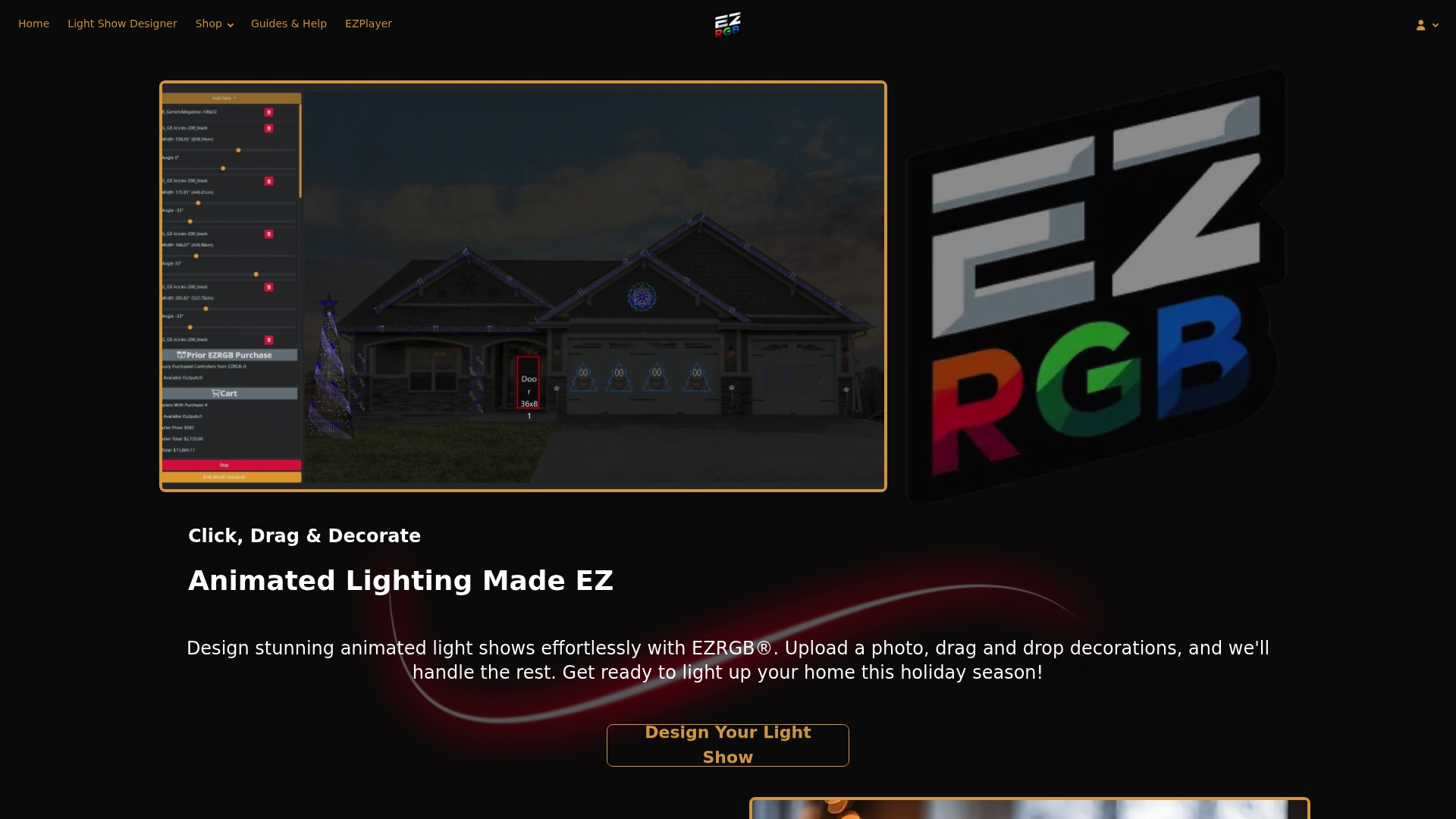
Use the EZRGB Light Show Designer to plan the visual display on a photo of your home. Draw a box around something you have measured, such as a door or window, and enter its dimensions. The Designer uses that reference to scale the photo and size the props you place.
Drawing tools cover rooflines, curved lines, doors and windows. The program uses the scale to estimate light quantities for the outlines. EZRGB works out the equipment needed from your design, so you do not have to manually match controllers, pixel strings, props and extensions yourself.
Your role is to show what you want to decorate and provide an accurate reference measurement. Check or confirm uncertain estimates where needed. The scaled layout helps you communicate placement; the actual wall still determines what mounting is suitable.
What comes with the kit, and what is separate?
EZRGB kits include their listed extensions and kit equipment. Mounting is excluded because every house differs. Plan the supports for your home separately rather than expecting one universal mounting package in the box.
Sequences and music are sold separately. Browse the kit catalog, supported props and sequence catalog as you plan. You do not have to finish drilling or mounting before choosing content; coordinate the design and physical installation before committing to an unsuitable placement.
What electrical checks belong in the plan?
The CPSC’s holiday-lighting guidance recommends safety-tested lights, checking for damaged sockets and wiring, and cords rated for their intended use. It also advises using outdoor-certified lights and GFCI protection for outdoor connections.
Follow the actual equipment instructions for connections and protection. Pixel extensions and household power cords serve different roles; do not treat them as interchangeable. Ask a qualified electrician about an uncertain electrical arrangement, and stop using damaged equipment.
How do you move from the design to playback?
-
Create your scaled Designer layout and identify the proposed mounting surfaces.
-
Arrange suitable mounting for the house and confirm uncertain physical details.
-
Follow the equipment instructions to install and test the supplied system.
-
Connect EZPlayer through the required EZRGB cloud workflow to download files and sequences and configure the show.
-
Test the planned songs, playlist and schedule on the installed display before inviting viewers.
EZPlayer’s official guide describes cloud setup for shows prepared through EZRGB. Its separate local capabilities do not replace the required cloud workflow for the EZRGB kit system. Keep your installation notes and layout together so you can explain any issue clearly to support.
Frequently asked questions
Is hot glue a safe shortcut for hanging lights on stucco?
Do not assume it is. Use a method supported by the wall and mounting-product guidance; this guide does not recommend hot glue as a general stucco solution.
Does textured stucco automatically need masonry anchors?
No. Texture alone does not identify the wall construction or a suitable attachment. Establish the wall system and obtain guidance for the actual decoration.
Does EZRGB include mounting hardware?
Mounting is separate because every house differs. Kits include their listed extensions and kit equipment; sequences and music are separate purchases.